How does the AI virtual try-on work?
Upload one clear model photo and one garment photo. The AI maps the garment onto the model while recreating fit, folds, shadows, and fabric texture in a new catalog image.
Fit custom clothing designs, dresses, and fabric patterns onto target model photos. Ideal for textile makers, fashion studios, and e-commerce designers wanting realistic photoshoot renders.
For online store catalog planning, fashion branding, and product design
Upload model and garment photo to generate a virtual try-on render.
We value your design IP. Uploaded photos and AI creations are processed securely in-memory and permanently deleted immediately. We never store your files or use them to train AI models.
Awaiting Generation
Upload target model and garment design, type a refinement instruction, and click send.
Explore how flat textile designs and mockups are mapped onto 3D fashion models.
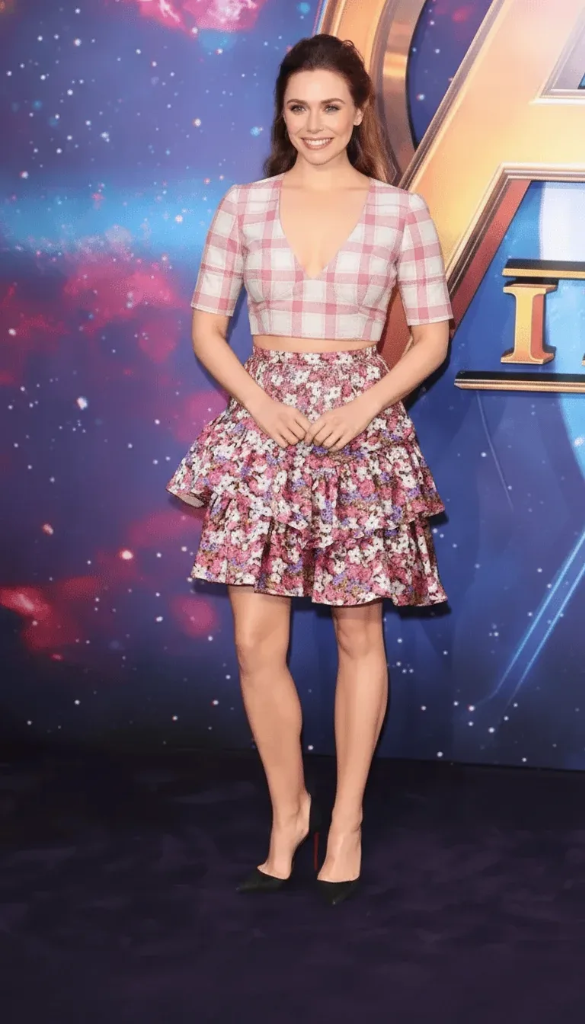
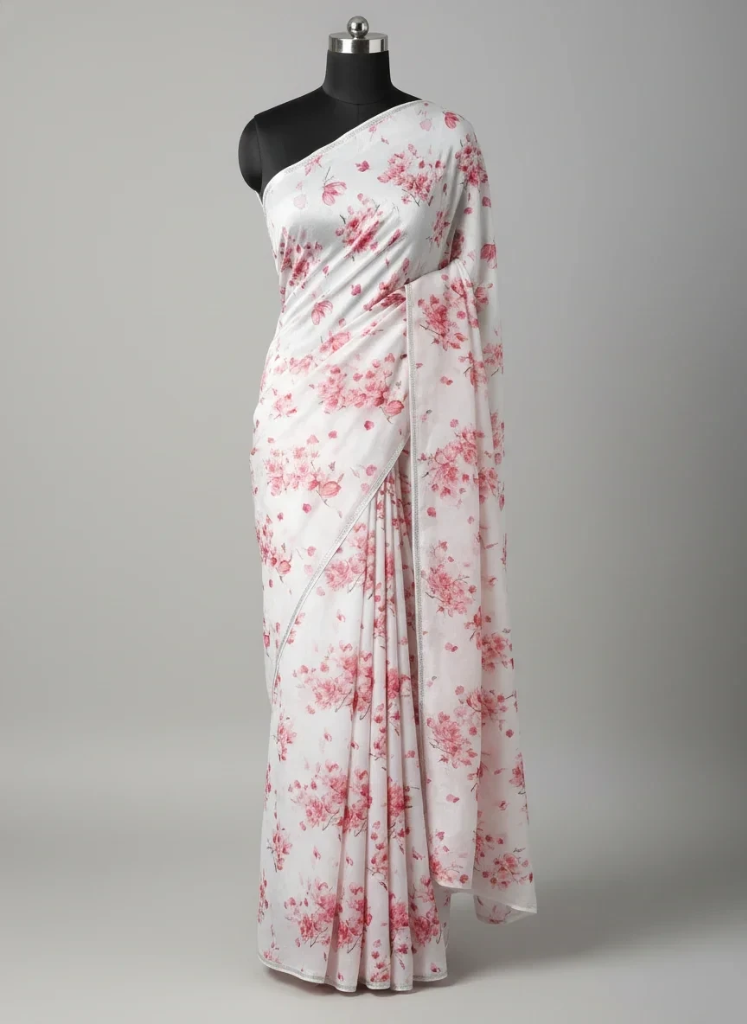
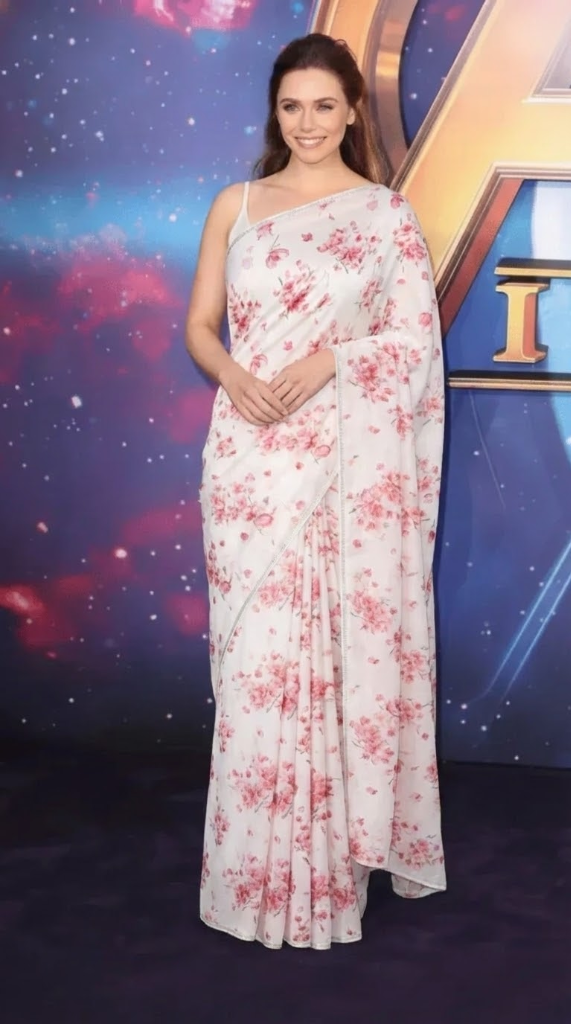
Experience the elegance of traditional saree draping with our v1 virtual try-on technology.
Choose from a diverse library of AI models across different ethnicities, ages, and body types to perfectly match your target audience.
Our physics-based AI engine ensures fabrics fall, fold, and drape naturally on the human form, mimicking authentic garment behavior.
Generate high-resolution marketing assets in seconds. Iterate on designs instantly without waiting for photoshoot scheduling.
A Virtual Try-On AI Tool uses advanced physics-based machine learning to place new garments onto digital models seamlessly. By evaluating fabric texture, wrinkles, lighting patterns, and model shapes, the AI synthesizes an authentic photo-realistic representation of the fit and fall of clothing—eliminating the delays and exorbitant budgets associated with studio photoshoots.
Upload your garment image or flat fabric swatch layout.
Select or upload an AI model photograph.
The AI analyzes the garment's structure, seams, and fabric physics.
High-quality, photorealistic visual outputs are generated for design cataloging.
Speed up marketing launch
Cut content production budget
Uniform look across catalog
Help B2B/B2C buyers visualize fit
Image requirements, credits, and practical details for creating clothing try-on visuals.
Upload one clear model photo and one garment photo. The AI maps the garment onto the model while recreating fit, folds, shadows, and fabric texture in a new catalog image.
Yes. You can upload your own model photograph and garment image to create a try-on result for your collection or ecommerce catalog.
Each AI virtual try-on generation uses 5 credits. Your available credit balance is shown inside the workspace after login.
Use a front-facing model photo with good lighting and a clear garment image with the full outline visible. Avoid folded garments, blocked body areas, and heavy background clutter.