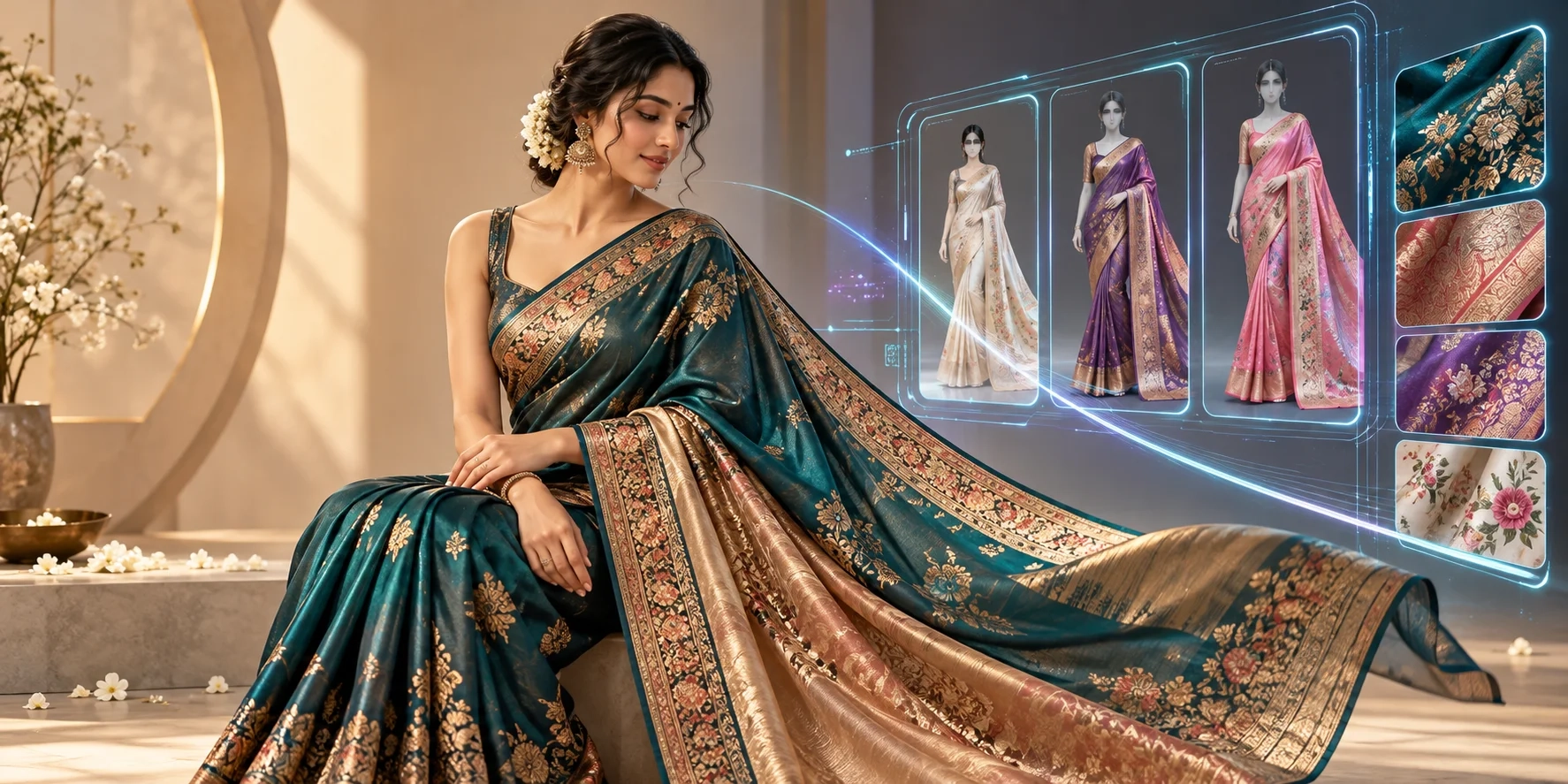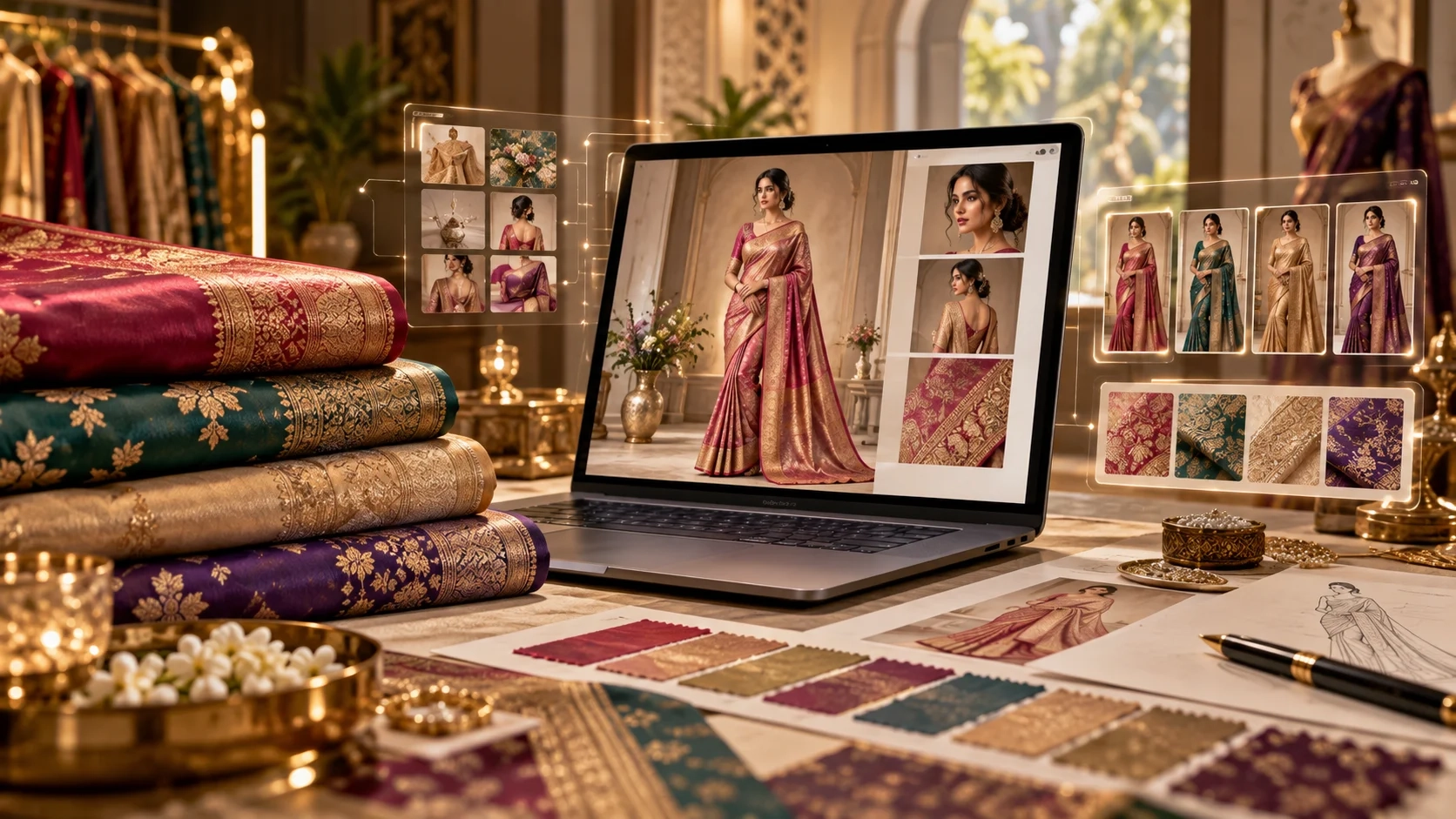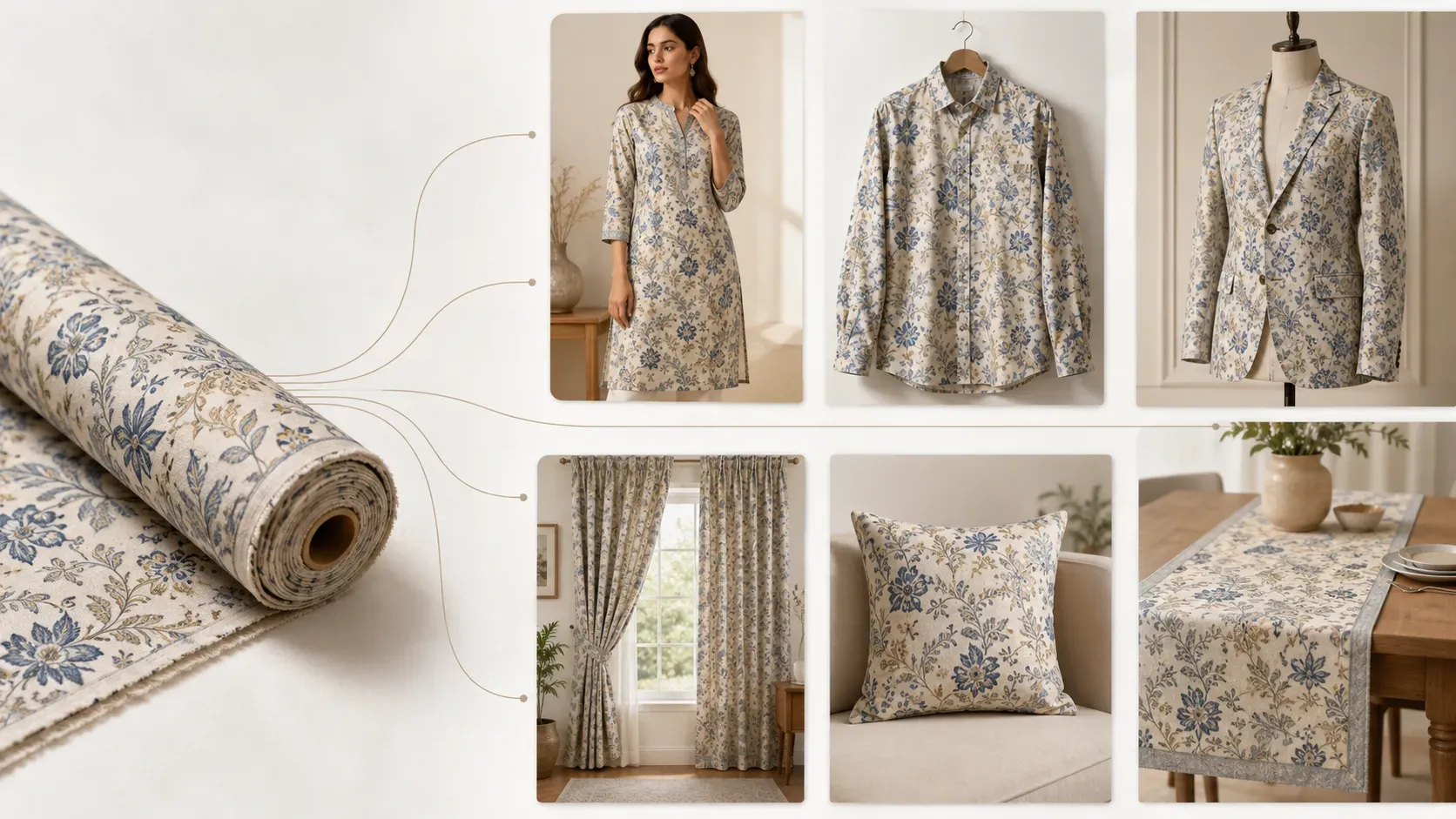
A fabric swatch can show the color, print, texture, embroidery, and pattern of a textile design. But for most customers and buyers, a flat fabric image is still not enough.
They want to see the final product.
A boutique customer may ask how the fabric will look as a kurti. A menswear brand may want to see the same textile as a shirt or blazer. A home decor business may want to test the fabric as curtains, cushion covers, table runners, or napkins.
A textile manufacturer may want to present fabric options to buyers in a more realistic and professional way.
This is where AI fabric to garment technology becomes very useful.
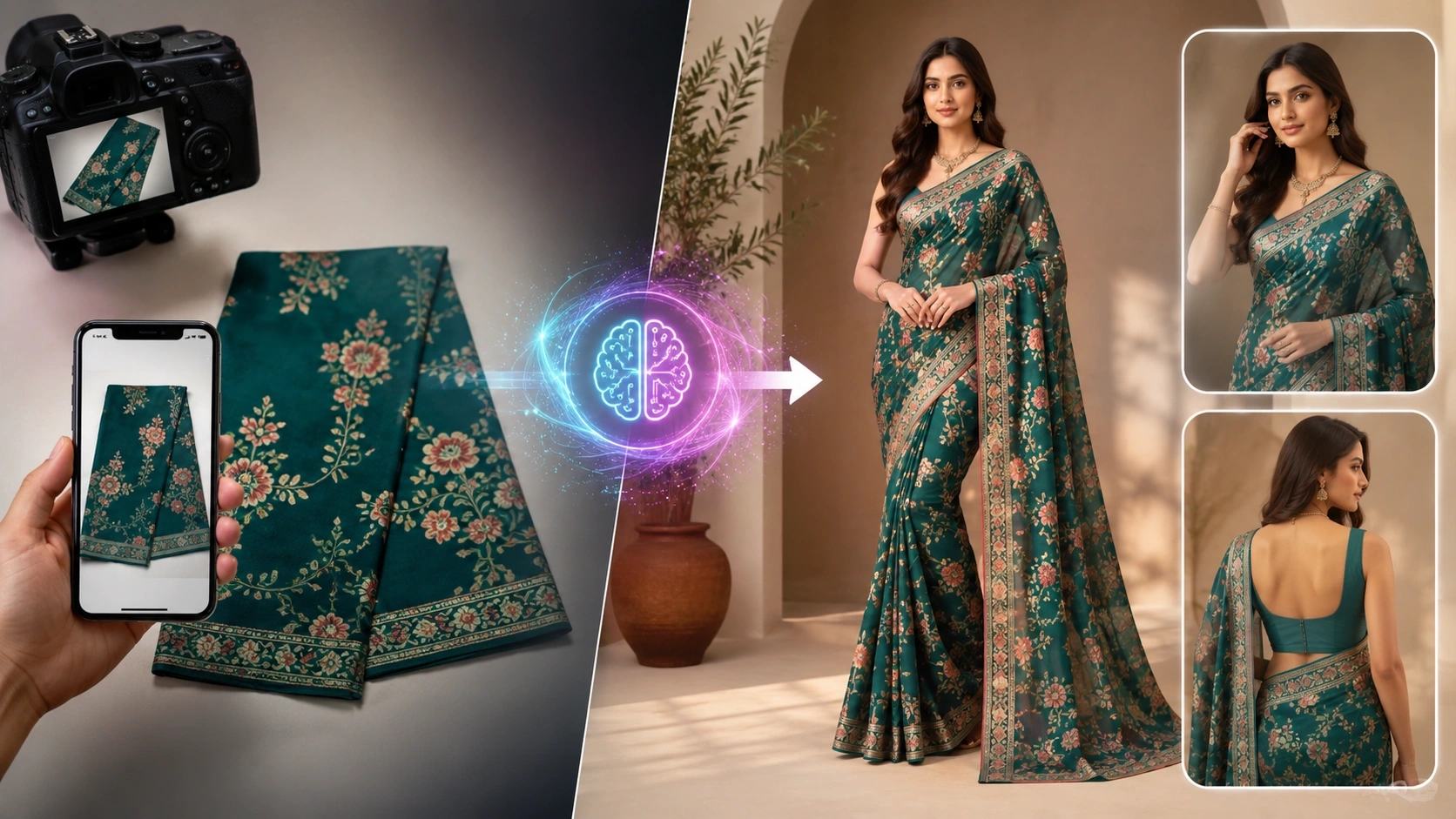
Instead of only showing a flat textile swatch, AI can convert that fabric into realistic garment images, model-worn previews, product mockups, and home textile visuals.
This helps textile sellers, fashion designers, boutiques, manufacturers, and online stores show the real product possibility of a fabric before creating physical samples.
The Textile AI Fabric to Garment tool is built for this exact workflow.
It allows users to:
- Upload a fabric or textile image
- Select the model type
- Choose AI model or product mockup
- Pick a wearable or home living category
- Apply design safety rules
- Generate realistic visuals
Tool link:
https://www.thetextileai.com/ai/tools/fabric-to-garment
What is Fabric to Garment AI?
Fabric to Garment AI is a technology that takes a fabric swatch, textile print, pattern image, or fabric photo and turns it into a realistic product visual.
In simple words, it helps you see how your fabric will look after it becomes something useful.
That final output can be a garment like:
- Kurti
- Blazer
- Shirt
- T-shirt
- Custom wearable style
It can also be a home textile product like:
- Curtain
- Table cloth
- Cushion cover
- Table runner
- Sofa throw
- Kitchen apron
- Table napkin
This is very helpful because fabric alone does not always communicate the final value of a design.
A print may look attractive as a swatch, but the real question is how it behaves when placed on a product.
For example:
- Does the pattern look balanced?
- Does the color feel premium?
- Does the scale look natural?
- Does the fabric suit clothing, home decor, or both?
AI helps answer these questions visually.
“A fabric swatch shows the material, but a garment image shows the final product opportunity.”
Why Flat Fabric Images Are Not Enough
In the textile business, fabric presentation has always been a challenge.
A seller can show a buyer a beautiful fabric image, but the buyer still has to imagine how it will look as a finished product.
This creates confusion because not everyone can visualize the final outcome from a flat swatch.
For example:
- A small floral print may look good in a fabric photo but may appear too busy on a blazer.
- A bold geometric print may look average as a swatch but very strong on curtains.
- A border fabric may look beautiful only when the border is placed correctly on the garment or product.
- A fabric with embroidery may need realistic draping to show its premium quality.
This is why fabric visualization is becoming so important.
When the same fabric is shown as a realistic garment or product mockup, the buyer understands it faster.
The conversation becomes more practical.
Instead of asking someone to imagine the final look, you can show it directly.
Remember: Better visualization can reduce guesswork and help buyers make faster decisions.
The Traditional Way of Showing Fabric as a Product
Before AI, textile businesses had to depend on physical sampling or manual mockups.
If a brand wanted to see how a fabric would look as a kurti, they had to stitch a sample.
If a buyer wanted to see the same fabric as curtains, someone had to prepare a product mockup manually or arrange a product shoot.
If a seller wanted model-worn images, they had to arrange:
- Model
- Photographer
- Studio
- Editing team
- Styling setup
- Product shoot process
This process takes time.
It also adds cost at every step.
A traditional workflow may include:
- Fabric cutting
- Stitching
- Model arrangement
- Photoshoot setup
- Editing
- Background cleanup
- Catalog formatting
- Buyer revisions
If the buyer does not approve the design, a lot of effort is wasted.
This is especially difficult when a business has many fabric designs or color variations.
Creating physical samples for every idea is not practical.
AI does not remove the need for final physical sampling. But it helps reduce the need to create physical samples too early.
Tip: Use AI previews first, then create physical samples only for the fabric ideas that look strong and buyer-ready.
The New Way: From Fabric Swatch to Product Visual
The AI workflow is much faster and cleaner.
A user uploads a clear fabric image.
Then they choose how they want the fabric to be shown.
The output can be:
- A garment on a realistic AI model
- A product mockup without a model
- A wearable fashion preview
- A home textile product preview
The user can select:
- Model type
- Product category
- Garment style
- Custom instructions
After that, AI generates the visual.
This allows a business to test fabric ideas before spending money on production.
For example, the same fabric can be tested as:
- Long kurti
- Short kurti
- Full sleeve shirt
- Half sleeve t-shirt
- Blazer
- Curtain
- Table runner
- Cushion cover
This gives more creative freedom and helps the team understand where the fabric looks best.
“AI helps textile businesses see the product before they make the product.”
How the Fabric to Garment Tool Works
The Textile AI Fabric to Garment tool follows a simple workflow so users do not need advanced design skills.
First, the user uploads a fabric or textile image.
The tool supports common image formats like:
- PNG
- JPG
- WEBP
For the best results, the fabric photo should be:
- Clear
- Front-facing
- Properly lit
- Free from heavy shadows
- Focused on the fabric pattern
Blurry, folded, low-light, or heavily shadowed fabric photos can reduce output quality because AI needs a clean reference to understand the original pattern.
After uploading the fabric, the user selects the model type.
This is important because every fabric has a different target audience.
For example:
- A menswear fabric may need a male model.
- A kurti fabric may need a female model.
- Kidswear fabric may need a kids girl or kids boy model.
- Youth fashion may need a teen or youth model.
The tool gives options for:
- Male
- Female
- Male and female
- Kids girl
- Kids boy
- Teen or youth
Then the user selects the output layout style.
There are two main options:
- AI Model
- Product Mockup
AI Model
AI Model is useful when the fabric needs to be shown on a realistic model.
This works well for:
- Fashion catalog images
- Model-worn garment previews
- Website product pages
- Buyer presentations
- Social media posts
Product Mockup
Product Mockup is useful when the fabric should be converted into a product without using a model.
This is helpful for:
- Home decor products
- Flat product previews
- E-commerce mockups
- Catalog product images
- Design approval
The user then chooses what the fabric should become.
The tool supports both wearable products and home living products, which makes it useful for fashion and home textile businesses.
Wearable Fabric Visualization
The wearable category is useful for:
- Clothing brands
- Boutiques
- Fabric sellers
- Fashion designers
- Garment manufacturers
The tool can convert fabric into garment visuals like:
- Kurti
- Blazer
- Shirt
- T-shirt
- Custom wearable styles
Kurti Preview
A kurti preview is useful for ethnic wear brands and Indian fashion businesses.
It helps show how a fabric print looks in long or short kurti format.
This is very useful for boutique owners and fabric sellers because many customers want to imagine fabric after stitching.
Blazer Preview
A blazer preview is useful for western wear and premium fashion brands.
Some fabrics look very different when placed on structured clothing.
A blazer has collars, sleeves, body shape, and formal styling, so AI helps check whether the print looks clean and professional.
Shirt Preview
A shirt preview is useful for:
- Menswear
- Womenswear
- Uniforms
- Casualwear
- Printed fabric sellers
Users can test full sleeve or half sleeve shirt looks and understand how the fabric works across collars, sleeves, and body panels.
T-shirt Preview
A t-shirt preview is useful for:
- Casualwear
- Streetwear
- Kidswear
- Print testing
It helps brands quickly see whether a fabric or print suits a simple everyday clothing style.
Custom Wearable Preview
The custom option gives more freedom.
If the user wants to visualize fabric as a jacket, poncho, tunic, co-ord set, kimono, or another product, custom instructions can help guide the AI.
This makes the tool flexible for different types of fashion businesses.
Home and Living Fabric Visualization
The Fabric to Garment tool is not only for clothing.
It also supports Home & Living products.
This is important because many textile businesses work with:
- Furnishing fabrics
- Decor materials
- Table linen
- Kitchen textiles
- Interior products
With AI, a fabric can be tested as:
- Table runner
- Table cloth
- Window curtain
- Sofa throw
- Cushion cover
- Kitchen apron
- Table napkin
This is very useful because home textile products depend heavily on scale and placement.
For example:
- A design that looks good on a small cushion cover may look different on long curtains.
- A large motif may work well on a table cloth but may feel too large on napkins.
- A soft floral print may look beautiful as curtains but may not be as strong on a kitchen apron.
AI helps businesses test these product directions before manufacturing.
For home textile brands, this can save time and improve product planning.
Instead of creating real samples for every decor product, the business can first generate digital previews and decide which product direction looks best.
Remember: The same fabric can have different value in different product categories. AI helps discover the strongest use case.
Why Design Safety Rules Matter
One of the biggest concerns in AI-generated textile visuals is accuracy.
A textile business does not want AI to randomly change the fabric.
The original design matters.
The customer is buying that specific:
- Color
- Pattern
- Embroidery
- Border
- Texture
- Fabric detail
If AI changes the product too much, the visual becomes misleading.
That is why design safety rules are important.
The Textile AI tool includes safety rules to help preserve the fabric design.
These include:
- Preserving the original fabric color
- Maintaining scale and design
- Preserving embroidery and border details
- Avoiding new motifs
- Keeping pattern placement realistic
- Using realistic draping
These rules help guide the AI toward accuracy.
Preserve Original Fabric Color
Preserving color is important because textile buyers care deeply about shade.
If the AI makes a red fabric look orange or a cream fabric look white, the output may not be useful.
Maintain Scale and Design
Maintaining scale is important because pattern size affects the final look.
A small print should not become oversized, and a large motif should not become too tiny.
Preserve Embroidery and Border Details
Preserving embroidery and border details is important for premium fabrics.
In many cases, the border, zari, embroidery, butti, or woven texture is the main selling point of the fabric.
Avoid New Motifs
Avoiding new motifs is also important.
AI should not add random flowers, shapes, or embroidery that does not exist in the original fabric.
Keep Realistic Pattern Placement and Draping
Realistic pattern placement and draping make the output believable.
The fabric should not look like a flat sticker.
It should follow:
- Folds
- Shadows
- Sleeves
- Body shape
- Product surface
- Natural textile flow
“Good AI fabric visualization is not only about applying a print. It is about respecting the original fabric.”
Custom Prompt and Styling Instructions
The tool also allows users to add custom prompt and styling instructions.
This is useful when the user wants more control over the output.
For example, a user can write:
Show this fabric as a premium kurti with clean front view, natural lighting, and catalog-style background. Do not change fabric color or pattern.
This kind of instruction helps AI understand the mood and presentation style.
A custom prompt can guide:
- Background
- Lighting
- Product angle
- Catalog style
- Model pose
- Garment look
- Fabric placement
- Overall styling
It can also tell the AI what not to change.
This is useful for businesses that have a clear brand style.
For example:
- A boutique may want a clean catalog look.
- A fashion brand may want a premium studio look.
- A home decor business may want a realistic interior setting.
- A Shopify seller may want product images with simple backgrounds.
Tip: A good custom prompt should be clear, simple, and specific. Tell the AI what to create and what details must stay unchanged.
Cost and Credit Usage
The Textile AI Fabric to Garment tool works on a simple credit system.
Cost:
5 Credits / Image
This makes it easy for users to generate visuals as needed.
A business can create one image for a quick idea check or generate multiple visuals for comparison.
Since each image costs 5 credits, users can plan their generation based on their requirement.
This is useful for:
- Small businesses
- Boutiques
- Designers
- Textile sellers
- Fashion brands
- Home textile businesses
They may not want to spend heavily on physical samples or photoshoots at the early stage.
How This Helps Textile Businesses
Fabric to Garment AI is useful because it solves a real business problem.
Textile businesses need to present fabrics in a way that buyers can understand.
A flat fabric swatch is not always enough.
Buyers want product context.
AI gives that context.
A textile manufacturer can show a new fabric collection as:
- Shirts
- Kurtis
- Blazers
- Home decor products
A fabric wholesaler can show customers how a print may look as a finished product.
A fashion designer can test fabric suitability before stitching.
A boutique can show customers garment previews before taking custom orders.
A home textile brand can check whether a fabric works better for curtains, cushions, or table linen.
This makes communication stronger.
Instead of explaining the product idea verbally, businesses can show a visual preview.
Remember: Clear visuals can reduce confusion, improve trust, and speed up buyer approval.
How Fashion Designers Can Use Fabric to Garment AI
Fashion designers can use this tool during the concept stage.
Many design decisions happen before the garment is stitched.
A designer needs to know:
- Whether the print suits the silhouette
- Whether the scale looks correct
- Whether the pattern feels balanced
- Whether the final garment matches the brand direction
AI helps designers test these ideas quickly.
For example, a designer can upload one fabric and compare how it looks as:
- Long kurti
- Short kurti
- Blazer
- Shirt
- T-shirt
This gives more creative clarity before production.
It also helps designers experiment more.
Earlier, testing many product options required time and cost.
Now, AI makes it possible to explore more directions digitally.
“AI gives designers more visual options before the final sample is made.”
How Fabric Sellers Can Use This Tool
Fabric sellers often face a simple challenge: customers cannot imagine the final stitched look.
A customer may like the fabric but still hesitate because they are unsure how it will look as a garment or product.
This is common in:
- Online fabric selling
- Boutique consultations
- Wholesale selling
- B2B textile presentations
AI helps solve this by showing the final possibility.
A seller can upload a fabric image and generate:
- Kurti preview
- Shirt preview
- T-shirt preview
- Curtain preview
- Cushion cover preview
- Table runner preview
This gives the customer a better idea of how the fabric can be used.
This can make the fabric easier to sell.
For online sellers, this is even more valuable because customers cannot touch the fabric or see it physically.
A realistic product preview can help them understand the material better.
How Boutiques Can Use This Tool
Boutiques can use AI fabric visualization during customer consultation.
A customer may select a fabric and ask how it will look as a kurti, shirt, or custom outfit.
Instead of only describing the idea, the boutique can generate a visual preview.
This helps the customer make a better decision.
It can also reduce misunderstanding between the customer and the tailor or designer.
When the customer sees a visual direction first, the expectation becomes clearer.
For boutiques, this can improve service quality and make the buying experience more modern.
How Home Textile Businesses Can Use This Tool
Home textile businesses can use Fabric to Garment AI to test furnishing and decor products.
A fabric may look very different depending on the product surface.
For example:
- Curtains need vertical flow.
- Cushion covers need balanced pattern placement.
- Table cloths need a wider spread.
- Napkins need smaller and cleaner design placement.
AI helps check these things before production.
This is useful for:
- Manufacturers
- Exporters
- Interior textile brands
- Home decor sellers
- Online furnishing stores
A business can test one fabric across multiple products and decide which one looks most suitable.
Tip: If a fabric does not look strong as clothing, it may still work beautifully in home decor. AI helps discover that opportunity.
How Shopify and E-commerce Sellers Can Use This Tool
E-commerce sellers need strong product images.
A flat swatch photo may not attract enough clicks.
But when the same fabric is shown as a garment or product mockup, the listing becomes more visual and easier to understand.
Shopify sellers can use AI-generated previews for:
- Product pages
- Collection pages
- Catalog images
- Social media posts
- WhatsApp catalogs
- Ad creatives
- Buyer presentations
For fashion and textile e-commerce, visuals play a big role in trust.
A product page with clear mockups can make the store look more professional.
Customers can understand the final use of the fabric more quickly.
Remember: In online selling, the image often decides whether the customer clicks or scrolls away.
AI Model Preview vs Product Mockup
Both output styles are useful, but they solve different needs.
AI Model Preview
AI Model Preview is best when the fabric needs to be shown as clothing worn by a person.
It is useful for:
- Kurtis
- Shirts
- T-shirts
- Blazers
- Fashion campaigns
- Model-based catalogs
- Social media fashion posts
Product Mockup
Product Mockup is best when the fabric needs to be shown as a finished product without a model.
It is useful for:
- Home decor
- Flat product previews
- Clean catalog images
- E-commerce product mockups
- Interior textile products
A smart business can use both.
For example, a fabric seller can show the fabric as a kurti on a model and also as a cushion cover mockup.
This gives buyers more ideas and increases the chance of finding the right product direction.
AI Preview and Physical Sampling Can Work Together
AI does not replace physical sampling completely.
Physical samples are still needed for:
- Final fabric feel
- Fit
- Stitching quality
- Product finishing
- Production approval
- Buyer confirmation
But AI helps before that stage.
It helps businesses decide which ideas are worth sampling.
Instead of creating physical samples for every option, a business can generate digital previews first.
Then it can shortlist the best ideas and invest in physical sampling only for selected options.
This creates a smarter workflow.
“Use AI to shortlist ideas. Use physical samples to finalize production.”
How AI Reduces Design Mistakes
Design mistakes usually happen when the final product does not match expectations.
For example:
- A print may look too large on the garment.
- A pattern may not suit the product shape.
- The border may not appear in the right place.
- The fabric may not work well for curtains.
- The design may look good as a swatch but weak as a finished product.
AI previews help identify these problems earlier.
This allows the designer, seller, or buyer to make changes before production.
Early correction saves time and cost.
It also improves confidence in the final product direction.
How AI Helps Buyer Approval
Buyers make faster decisions when they can see clear visuals.
A flat fabric image may need explanation.
A realistic garment or product mockup explains itself.
For B2B textile businesses, this is very useful.
A manufacturer can present a fabric collection as product-ready visuals.
A wholesaler can show different garment options.
A home textile exporter can show how fabrics look in real interior products.
This improves communication and reduces back-and-forth.
Buyers can compare options faster and select the most suitable designs.
Remember: Better presentation can make the same fabric look more valuable.
Best Use Cases for Fabric to Garment AI
Fabric to Garment AI can be used across many practical workflows.
Best use cases include:
- Convert fabric swatches into garment images
- Create realistic AI model previews
- Generate product mockups without a model
- Test kurtis, shirts, blazers, and t-shirts
- Create home textile product previews
- Test curtains and cushion covers
- Prepare e-commerce product visuals
- Create buyer presentations
- Support social media previews
- Reduce early sampling cost
- Help brands test custom garment ideas
It is useful for both fashion and home textile businesses.
This makes it more than a simple image tool.
It becomes a product visualization tool for textile decision-making.
Common Mistakes to Avoid
AI gives better results when the input is clear.
Avoid these mistakes:
- Uploading blurry fabric images
- Uploading folded fabric images
- Using low-light photos
- Using heavily shadowed fabric photos
- Writing unclear custom prompts
- Ignoring design safety rules
- Expecting AI outputs to replace final physical approval completely
- Publishing images without review
Always review the generated image before using it publicly.
The final result should match your product expectation, fabric details, and brand quality.
Tip: AI can make visualization faster, but your team should still control quality and final approval.
How to Get Better Results
To get better results, start with a clear front-facing fabric photo.
Make sure the color, pattern, texture, and design are visible.
Select the correct model type for your target customer.
Choose AI Model when you want a wearable fashion preview.
Choose Product Mockup when you want product-only or home decor visuals.
Use safety rules to protect fabric accuracy.
If your fabric has embroidery, border details, or special patterns, make sure those details are visible in the uploaded image.
Add custom instructions when you want specific:
- Styling
- Lighting
- Product angle
- Background mood
- Catalog look
- Model pose
A clean input and clear direction can make the output much better.
Why The Textile AI Fabric to Garment Tool is Useful
The Textile AI Fabric to Garment tool is designed for real textile and fashion workflows.
It is useful because it supports both wearable and home living categories.
It allows users to:
- Select model type
- Choose between AI model and product mockup output
- Apply design safety rules
- Add custom styling instructions
- Generate realistic product visuals
This makes it practical for many businesses.
A fashion designer can use it for garment visualization.
A fabric seller can use it for customer presentation.
A boutique can use it for custom design previews.
A home textile brand can use it for decor mockups.
An e-commerce seller can use it for product content.
Tool link:
https://www.thetextileai.com/ai/tools/fabric-to-garment
The Future of Fabric Visualization
The future of textile selling will become more visual.
Customers and buyers will not only want to see fabric swatches.
They will want to see how that fabric can become a finished product.
AI helps create this bridge.
A single fabric can be shown as:
- Clothing
- Home decor
- Product mockups
- Catalog visuals
- Model previews
This creates more opportunities for sellers and designers.
In the future, textile businesses may use AI previews before most sampling decisions.
Fabric collections may be presented with multiple product possibilities instead of only flat swatch images.
This will make the industry faster, clearer, and more efficient.
Final Thoughts
AI is changing how fabric swatches are presented.
Instead of showing only flat textile images, businesses can now convert fabric swatches into realistic garment images, AI model previews, product mockups, and home textile visuals.
This helps:
- Textile sellers
- Fashion designers
- Boutiques
- Manufacturers
- Home decor brands
- Shopify sellers
- Catalog teams
Fabric to Garment AI reduces guesswork, improves buyer presentation, supports faster product visualization, and reduces unnecessary early-stage sampling.
A fabric is not just a material.
It is a future product.
AI helps show that future product faster.
Try The Textile AI Fabric to Garment tool here:
https://www.thetextileai.com/ai/tools/fabric-to-garment