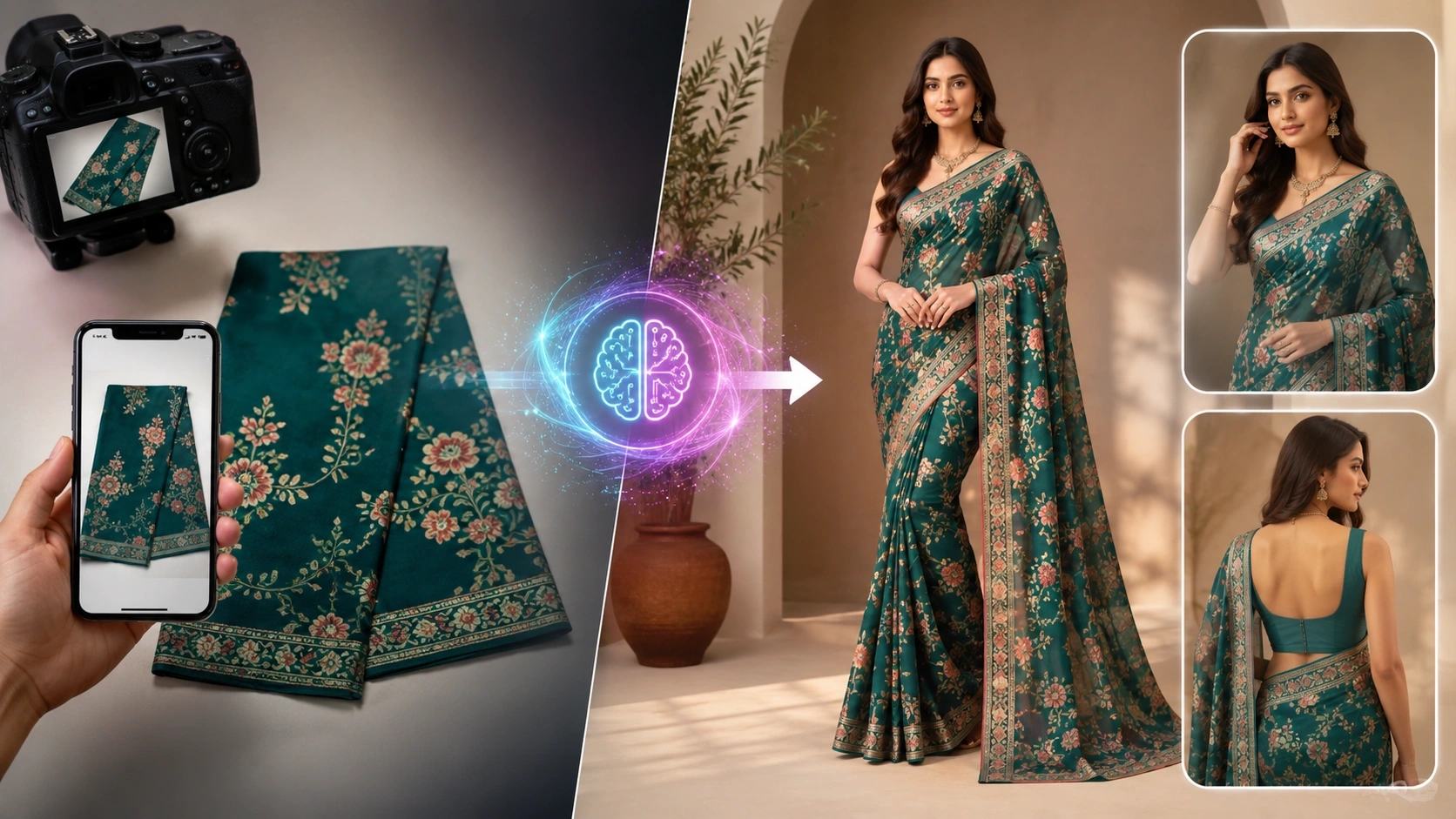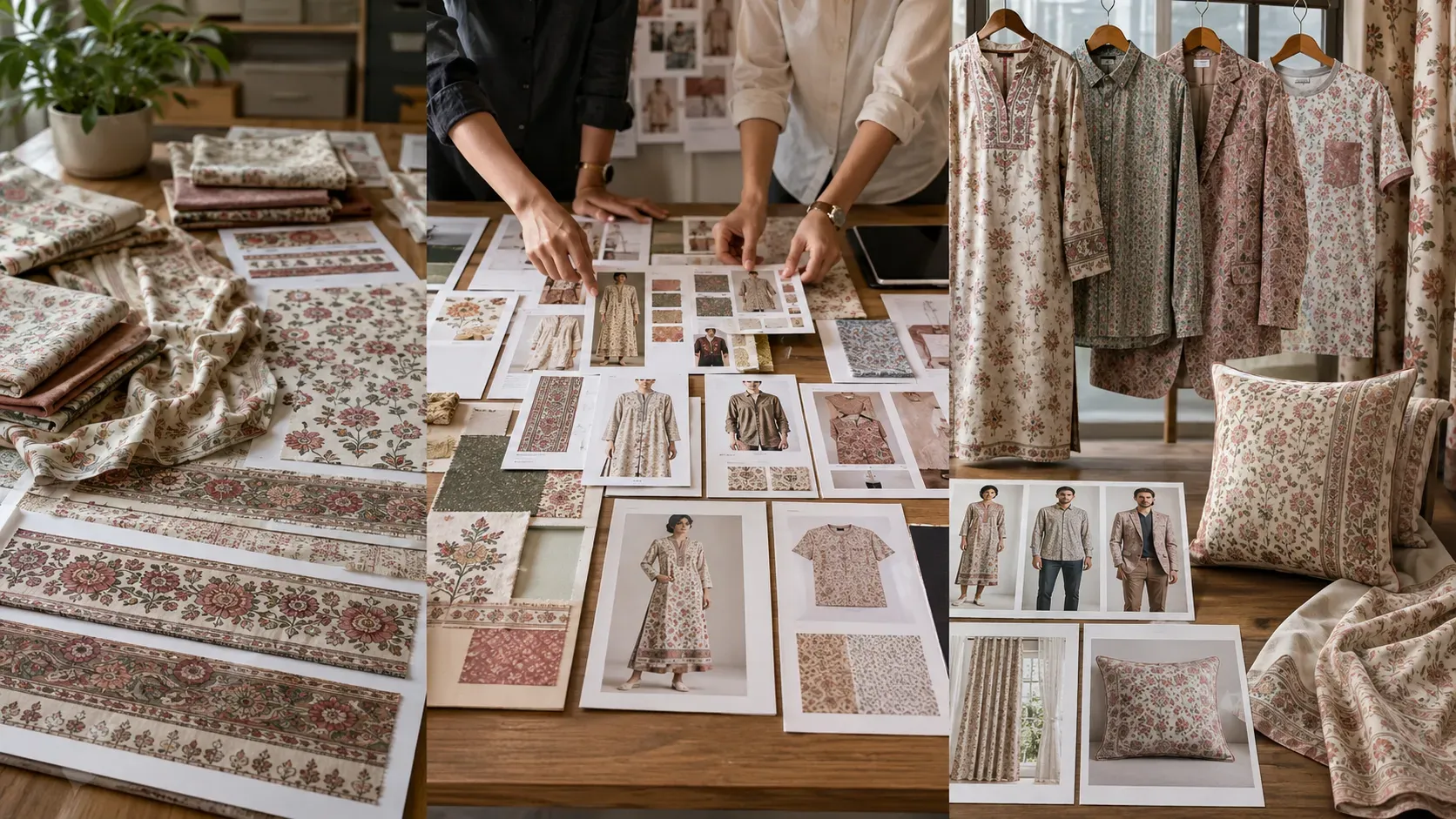
Fabric selling becomes easier when buyers can imagine the final product.
A fabric may have a beautiful print, premium embroidery, rich texture, unique border, or attractive color combination. But when it is shown only as a flat image or folded photo, many buyers still struggle to understand how it will look after stitching.
This is a common challenge for textile sellers, fabric manufacturers, fashion designers, boutiques, wholesalers, exporters, and e-commerce businesses.
A fabric photo shows the material, but it does not always show the final possibility.
A buyer may ask how the print will look as a kurti, whether the fabric will work for a shirt, whether the textile design can look good on a blazer, how the pattern will appear on home textile products, or whether the design scale will look correct after stitching.
These questions usually require sampling, sketching, mockups, or photoshoots. That process takes time and cost.
Now AI can help solve this problem.
With Fabric to Garment AI, textile businesses can upload a fabric photo and generate finished garment visuals faster. The fabric can be shown as a kurti, shirt, blazer, t-shirt, or even home textile products like curtains, cushion covers, table runners, table cloths, sofa throws, aprons, and napkins.
The Textile AI Fabric to Garment tool is built to help users convert fabric images into realistic garment and product visuals for catalog, buyer presentation, and e-commerce use.
Website:
https://www.thetextileai.com/ai/tools/fabric-to-garment
What is Fabric to Garment AI?
Fabric to Garment AI is a tool that converts fabric photos into finished garment or product visuals using artificial intelligence.
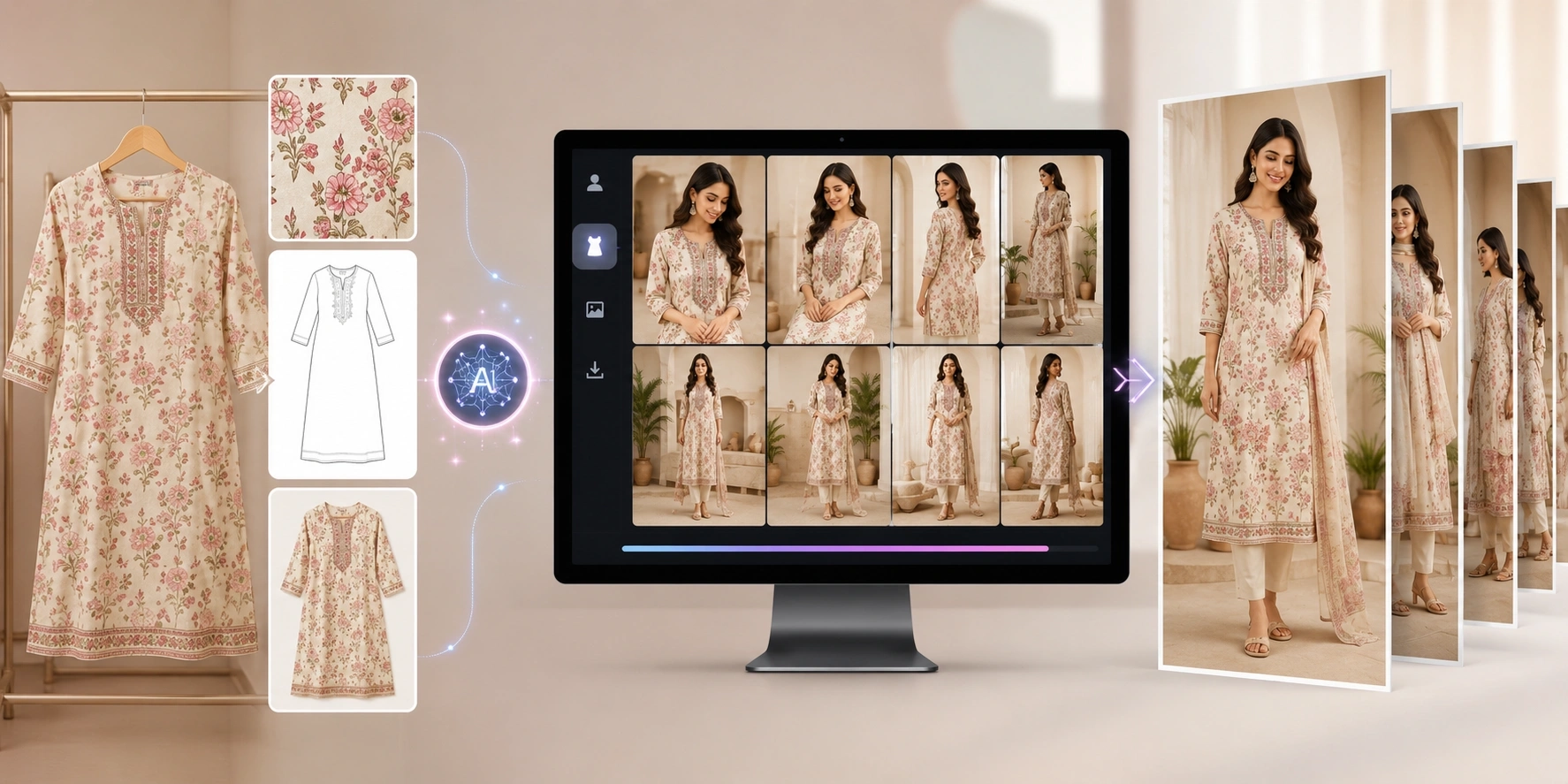
In simple words, you upload a fabric image, choose how you want to show it, select the product type, and AI creates a realistic visual showing that fabric as a finished product.
Earlier, sellers had to create physical samples to show buyers how a fabric would look after stitching. Designers had to manually create mockups. Brands had to wait for product sampling and photography before they could show the final look.
AI changes this workflow.
It helps businesses create digital previews before physical production. A flat fabric image can be shown as a garment, product mockup, model-worn visual, or home textile item.
This helps buyers understand the final use of the fabric faster.
“Fabric to Garment AI helps textile businesses show the final product idea before creating the physical sample.”
Why Fabric Sellers Need Finished Garment Visuals
Textile selling depends on imagination.
A buyer may like a fabric design, but they often need to see how it will look in real use before making a decision. A flat swatch may not explain the full value of the fabric.
For example, a floral print may look simple as a fabric photo but very attractive as a kurti. A geometric print may work better on a shirt. A heavy pattern may look premium on a blazer. A soft print may look beautiful as curtains or cushion covers.
When buyers see the fabric as a finished garment, they understand its potential more clearly.
This is useful for online selling, wholesale presentations, boutique customer previews, design approvals, and catalog creation.
Remember: A fabric image shows the material. A finished garment visual shows the product opportunity.
The Problem with Traditional Fabric Sampling
Traditional sampling takes time.
A textile seller or designer may need to cut fabric, stitch a sample, arrange fitting, photograph the product, edit the image, and then show it to a buyer.
If the buyer does not approve the style, color, or pattern placement, the process may need to start again.
This becomes expensive when there are many fabric designs.
A textile manufacturer may have hundreds of new prints. A boutique may receive many fabric options from suppliers. A fashion brand may need to test one fabric in multiple garment styles. A home textile business may want to see the same fabric as curtains, cushions, and table linen.
Creating physical samples for every idea is not always practical.
AI helps reduce this pressure.
Instead of making every sample physically, businesses can first create digital garment visuals and shortlist the strongest ideas.
Tip: Use AI previews before physical sampling so your team can test more ideas with less delay.
How The Textile AI Fabric to Garment Tool Works
The Textile AI Fabric to Garment tool is designed to make fabric visualization simple.
The user uploads a clear fabric or textile image. This can be a fabric swatch, print photo, textile scan, or product material reference. The image should clearly show the color, pattern, texture, border, embroidery, or design details.
After uploading the fabric, the user can select the model type. The tool supports different model categories such as male, female, male and female, kids girl, kids boy, and teen or youth. This helps brands create outputs based on the target audience.
Then the user chooses the output layout style.
There are two main output directions: AI Model and Product Mockup.
AI Model is useful when the seller wants to show the fabric as a model-worn garment. Product Mockup is useful when the seller wants to show the fabric on a product without a model.
After that, the user selects the product category and style. The fabric can be visualized on wearable products or home and living products.
Finally, the user can add custom instructions to guide the output style, lighting, background, and product look.
Website:
https://www.thetextileai.com/ai/tools/fabric-to-garment
Upload a Fabric Image
The fabric image is the most important input.
The AI uses this image to understand the fabric color, pattern, texture, design scale, embroidery, border, and overall look.
For better results, the image should be clear and front-facing. The fabric should not be too blurry, too dark, overly folded, or distorted.
If the fabric has a border, motif, butti, embroidery, or special woven detail, those details should be visible.
A strong fabric image helps the AI create a better garment preview.
If the input is weak, the output may not show the fabric properly.
Remember: Better fabric input creates better garment output.
Choose the Model Type
Model type matters because different fabrics are made for different customers.
A shirt fabric may need a male model. A kurti fabric may need a female model. A kidswear print may need a kids girl or kids boy output. A youth-focused fabric may need a teen or youth look.
Choosing the right model type helps make the final image more useful.
The Textile AI Fabric to Garment tool allows users to select model types such as male, female, male and female, kids girl, kids boy, and teen or youth.
This is helpful for businesses that sell to different customer groups.
For example, a fabric manufacturer can show one print as women’s wear, menswear, kidswear, or youth fashion depending on the buyer’s requirement.
Tip: Select the model type based on the product audience, not only the fabric design.
Choose AI Model or Product Mockup
The tool allows users to choose between AI Model and Product Mockup output styles.
AI Model is useful when the brand wants to show the fabric as a garment worn by a model. This is helpful for fashion catalogs, e-commerce product images, buyer presentations, social media visuals, and clothing previews.
Product Mockup is useful when the brand wants to show the fabric as a finished product without a model. This is helpful for product planning, home textile visualization, clean mockups, and catalog-style product displays.
Both styles are useful, but they serve different purposes.
AI Model gives a fashion look.
Product Mockup gives a product-focused look.
“AI Model shows how the fabric looks when worn. Product Mockup shows how the fabric looks as a finished item.”
Wearable Garment Options
Fashion brands and textile sellers often need to show fabric as wearable products.
The Textile AI Fabric to Garment tool supports wearable categories such as kurtis, blazers, shirts, t-shirts, and custom products.
This is useful because one fabric can work differently on different silhouettes.
A print that looks heavy as a shirt may look balanced as a kurti. A small repeat print may work well for shirts and t-shirts. A premium fabric may look stronger on a blazer. A border design may need a custom garment direction.
AI helps test these ideas visually.
Instead of guessing, sellers can show the fabric as a finished garment and decide which style looks best.
This is useful for textile markets, boutiques, designers, garment manufacturers, and fashion brands.
Remember: The same fabric can create different value depending on the garment style.
Home and Living Product Options
Fabric is not only used for clothing.
Many textile businesses also sell fabrics for home and living products.
The Textile AI Fabric to Garment tool can help visualize fabric as home textile products such as table runners, table cloths, window curtains, sofa throws, cushion covers, kitchen aprons, and table napkins.
This is very useful for home textile brands, exporters, furnishing fabric sellers, decor businesses, and interior product manufacturers.
A fabric may look ordinary as a flat swatch but beautiful as curtains in a room. A pattern may look premium on a cushion cover. A print may be perfect for table linen.
AI helps show these possibilities faster.
For home textiles, product context matters a lot. Buyers often want to see how the fabric will look when used in a real product.
Tip: Use home textile mockups when selling furnishing fabrics, decor collections, or interior textile products.
Custom Product Instructions
Custom instructions help guide the AI output.
The user can describe the exact kind of product image they want. This can include garment style, background, lighting, pose, product mood, catalog framing, or fabric handling.
For example:
Show this fabric as a premium kurti with clean front view, natural lighting, and catalog-style background. Do not change fabric color or pattern.
This kind of instruction helps AI understand the expected result.
Custom instructions are useful when the seller wants a specific visual direction. For example, they may want a simple catalog look, premium boutique style, clean e-commerce background, festive fashion mood, or home textile product setting.
Clear instructions create better outputs.
“A good AI prompt tells the tool what to create and what details must stay unchanged.”
Design Safety Rules
Fabric accuracy is very important.
If AI changes the fabric color, pattern, embroidery, or border, the output may not represent the real product correctly.
That is why design safety rules are important in fabric-to-garment workflows.
The Textile AI Fabric to Garment tool focuses on preserving the original fabric color, maintaining scale and design, preserving embroidery and border details, avoiding invented motifs, keeping pattern placement realistic, and using realistic draping.
This matters for textile sellers because buyers expect the generated output to match the original fabric.
A beautiful image is not enough.
The fabric should still look like the uploaded fabric.
Remember: Fabric visualization should improve presentation, not change the product identity.
Quality Safeguards for Better Output
A good fabric-to-garment output should look realistic.
The fabric should not look flat or pasted. It should follow the garment structure, folds, shadows, and body shape. The pattern should remain visible and balanced. The color should stay close to the original fabric.
The Textile AI Fabric to Garment tool includes quality safeguards such as pattern scale lock, original color density, shadow fold physics, and high-resolution export.
These safeguards help make the final output more useful for product presentation.
Pattern scale lock helps keep the fabric design looking natural on the garment. Original color density helps protect the real fabric color. Shadow fold physics helps the fabric look more realistic on folds and curves. High-resolution export helps make the output suitable for catalog and e-commerce use.
Tip: Always review the final output for color, pattern, scale, border, and garment realism before using it publicly.
How AI Helps Textile Sellers
Textile sellers can use Fabric to Garment AI to present fabric more professionally.
Instead of showing only a folded fabric photo, they can show the same fabric as a finished garment or product. This helps buyers understand how the material can be used.
A seller can show a fabric as a kurti, shirt, blazer, t-shirt, curtain, cushion cover, or table runner depending on the buyer’s interest.
This makes communication stronger.
A buyer does not have to imagine everything. They can see the product possibility directly.
For textile sellers, this can improve buyer confidence and make product discussions faster.
“When buyers can see the final product possibility, fabric selling becomes easier.”
How AI Helps Fashion Designers
Fashion designers can use AI to test fabric ideas before stitching.
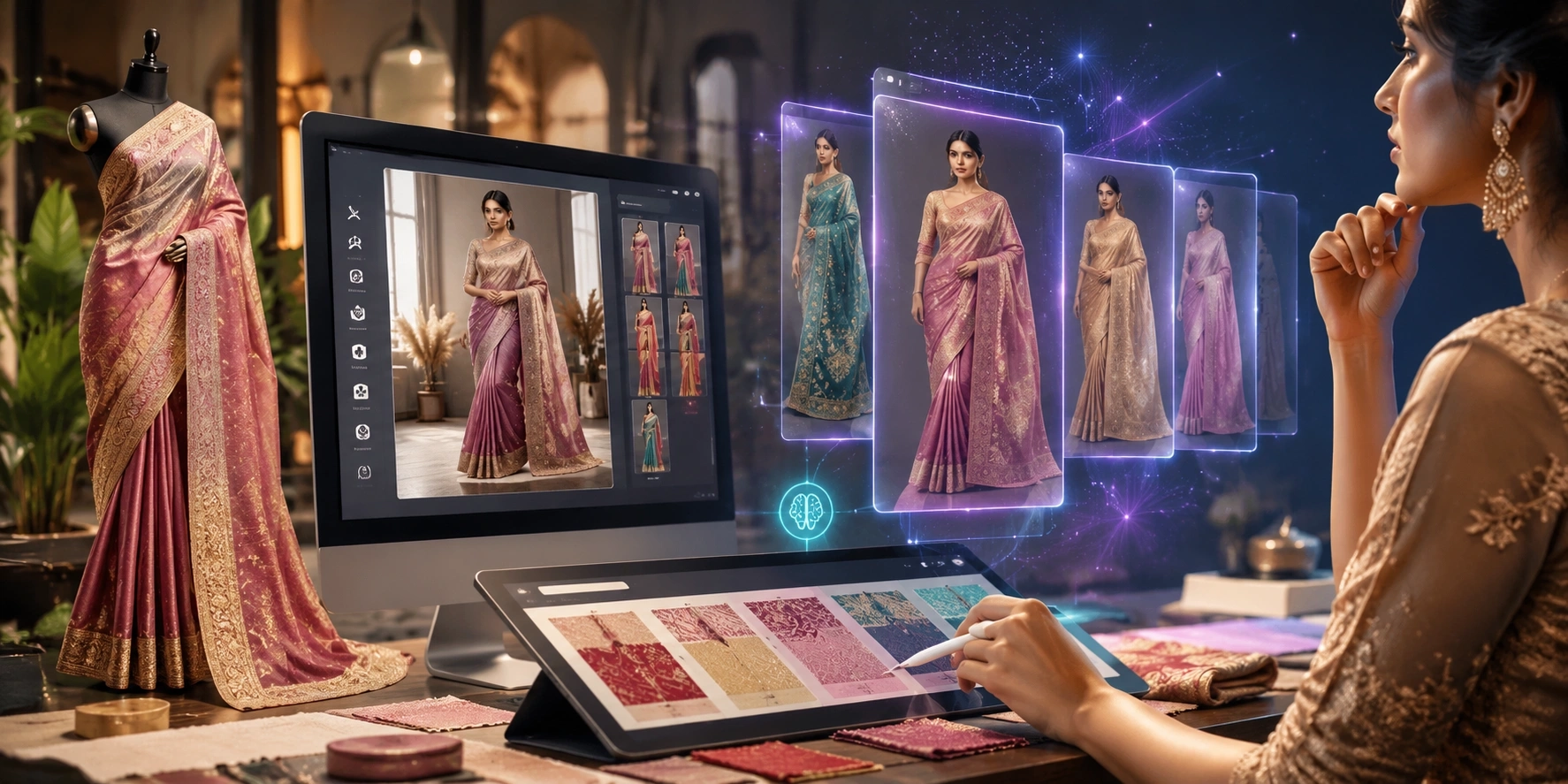
A designer may have a fabric print but may not be sure whether it will work better as a kurti, shirt, blazer, or custom garment. AI can generate previews quickly and help compare options.
This supports early design decisions.
Instead of spending time creating every sample physically, designers can use AI to test concepts visually. They can decide which styles look strong and which ones need changes.
This helps reduce wasted time during the design process.
AI also helps designers communicate ideas to clients, buyers, or internal teams more clearly.
Remember: AI helps designers test more ideas before committing to production.
How AI Helps Boutiques
Boutiques often work directly with customers.
A customer may choose a fabric and ask, “How will this look after stitching?”
AI can help boutiques answer this question visually.
A boutique can upload the fabric and generate a garment preview based on the selected style. This can help the customer understand the final look before placing an order.
This is especially useful for custom kurtis, shirts, blazers, kidswear, and special occasion outfits.
Instead of only explaining through words, the boutique can show a visual preview.
Tip: Boutiques can use AI garment previews to improve customer confidence during custom order discussions.
How AI Helps Garment Manufacturers
Garment manufacturers can use AI to test product ideas faster.
Before production, manufacturers often need approvals from buyers, designers, or merchandisers. AI garment previews can support this process by showing how a fabric may look as a finished garment.
This helps with sampling decisions, buyer presentations, style planning, and product development.
A manufacturer can create digital previews for multiple garment categories without making physical samples for every option.
This can reduce early-stage sampling cost and speed up communication.
For export businesses and B2B garment suppliers, this can make presentations more professional.
How AI Helps Home Textile Brands
Home textile brands can use Fabric to Garment AI to show fabrics as finished home products.
This is useful because home textile buyers often need context. A fabric roll may not explain how it will look in a home setting, but a cushion cover, curtain, table cloth, or sofa throw preview can make the product easier to understand.
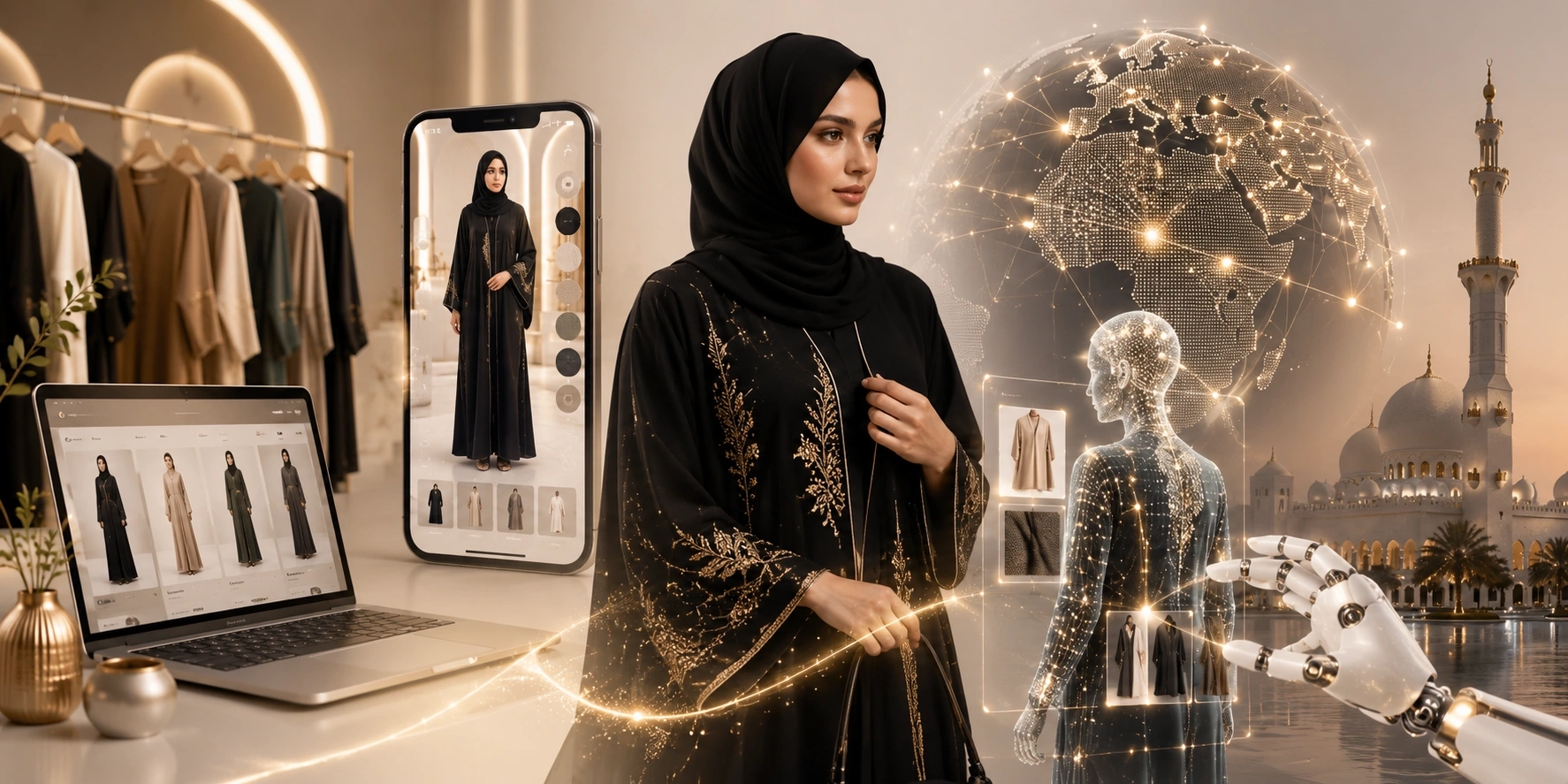
AI helps home textile brands create quick product mockups for catalogs, buyer decks, Shopify stores, marketplaces, and social media.
This is especially useful for brands with many prints and colorways.
Instead of creating every home textile sample physically, the brand can first create digital product previews.
Remember: In home textiles, context can make a simple fabric look much more valuable.
How AI Helps E-Commerce Stores
E-commerce stores need product visuals constantly.
A fabric or clothing seller may need product images for Shopify, marketplaces, Instagram, WhatsApp catalogs, product pages, ads, and website banners.
AI-generated garment visuals can help create these images faster.
A seller can use fabric-to-garment outputs as product preview images, catalog images, social media posts, buyer visuals, or listing support images.
This is useful when products need to go live quickly.
A store that has strong visuals can look more professional and trustworthy.
Tip: Use AI garment visuals as product presentation images, and keep real fabric close-ups as supporting proof images.
How AI Reduces Sampling Cost
Sampling is one of the biggest expenses in textile and fashion workflows.
Every physical sample takes fabric, labor, stitching time, finishing, photography, and review. If the product is not approved, that sample may not move forward.
AI helps reduce unnecessary early sampling.
Businesses can test fabric as different garments or products digitally first. After reviewing the AI previews, they can shortlist the strongest options and create physical samples only for selected designs.
This saves time and resources.
AI does not remove the need for final physical samples. Fabric feel, fit, stitching, and quality still need real-world checking. But AI helps businesses sample smarter in the early stage.
“AI does not replace final sampling. It helps reduce unnecessary first-round sampling.”
How AI Improves Buyer Presentations
Buyer presentations need clear visuals.
If a seller shows only fabric photos, the buyer may need to imagine the final product. But if the seller shows the fabric as a finished garment, the presentation becomes stronger.
AI helps sellers create buyer-ready visuals quickly.
A fabric manufacturer can show how a print looks as a shirt, kurti, blazer, or home textile product. A home textile exporter can show a fabric as curtains or cushions. A boutique can show custom garment options to customers.
This makes presentations more practical and attractive.
A strong visual can help buyers understand the product faster.
Remember: A buyer presentation becomes stronger when it shows the final product possibility, not only the raw material.
How AI Supports Faster Product Launches
Fashion and textile businesses often need to launch products quickly.
If visuals are delayed, the product launch gets delayed. AI helps reduce this waiting time by generating garment and product visuals faster.
A brand can upload fabric, generate previews, choose the best styles, prepare catalog images, and plan content earlier.
This supports faster product pages, faster buyer approvals, and faster marketing preparation.
For businesses that launch seasonal collections, festive drops, weekly new arrivals, or multiple colorways, this can be very useful.
Tip: Use AI previews early in the launch workflow so product content does not become the final bottleneck.
Best Use Cases for Fabric to Garment AI
Fabric to Garment AI can support many textile and fashion workflows.
It can help fabric sellers, boutiques, designers, home textile brands, manufacturers, exporters, Shopify sellers, and catalog teams create better product visuals faster.
Useful use cases include:
- Showing fabric as finished garments
- Creating kurti, shirt, blazer, or t-shirt previews
- Creating home textile product mockups
- Preparing buyer presentation visuals
- Creating Shopify product support images
- Testing fabric before physical sampling
- Comparing garment style options
- Creating catalog-ready product visuals
- Showing fabric design scale on products
- Creating social media product previews
These use cases make AI useful for both design and sales teams.
Common Mistakes to Avoid
AI works best when the input is clear.
One common mistake is uploading a poor fabric image. If the fabric photo is blurry, dark, too folded, or unclear, the final output may not look accurate.
Another mistake is choosing the wrong product type. A fabric that works well for a kurti may not work as well for a blazer. A home textile print may look better on curtains than on clothing.
Some users also write vague instructions. If the output needs to preserve color, pattern, border, or embroidery, that should be mentioned clearly.
The final mistake is using the AI output without review. Every generated image should be checked for fabric accuracy, pattern scale, realistic folds, and product appearance.
Remember: AI can generate visuals faster, but quality checking should still stay with the brand.
How to Get Better Results
To get better results from Fabric to Garment AI, start with a clean fabric photo. Make sure the fabric color, pattern, texture, and border are visible.
Choose the correct model type based on the target customer. Select the right output layout, such as AI Model or Product Mockup. Pick the right product category based on the fabric’s real use.
Use custom instructions when needed.
If you want a catalog-style output, mention clean background, natural lighting, and product-focused framing. If you want fabric accuracy, mention that the original color and pattern should not change. If the fabric has embroidery or border work, mention that those details should be preserved.
Example instruction:
Show this fabric as a premium kurti with clean front view, natural lighting, and catalog-style background. Keep the original fabric color, pattern, border, and texture unchanged.
Tip: Clear input and clear instructions create stronger AI garment visuals.
Why The Textile AI Fabric to Garment Tool is Useful
The Textile AI Fabric to Garment tool is useful because it helps textile and fashion businesses convert fabric images into finished product visuals quickly.
It supports fabric upload, model type selection, AI Model and Product Mockup output styles, wearable garment categories, home and living product categories, custom instructions, design safety rules, and quality safeguards.
This makes it useful for many businesses.
A textile seller can show fabric as a finished garment. A fashion designer can test garment ideas. A boutique can show customers custom previews. A manufacturer can prepare buyer presentations. A home textile brand can create decor product mockups. An e-commerce seller can create product visuals faster.
Website:
https://www.thetextileai.com/ai/tools/fabric-to-garment
The Future of Fabric Visualization
Fabric visualization is becoming faster and more digital.
In the future, businesses will not wait for every physical sample before showing product ideas. They will use AI to preview fabric as garments, home products, catalog images, campaign visuals, and buyer presentation assets.
This will make textile and fashion workflows more efficient.
AI will help teams test more ideas, reduce unnecessary samples, speed up product launches, and create visual content faster.
Traditional sampling and photography will still matter for final approval and premium campaigns. But AI will become a regular part of early product visualization.
Final Thoughts
AI is changing how textile businesses show fabric.
Instead of showing only flat fabric photos, sellers can now create finished garment and product visuals faster. A fabric can be shown as a kurti, shirt, blazer, t-shirt, curtain, cushion cover, table runner, or product mockup.
This helps buyers understand the final use of the fabric. It helps designers test ideas faster. It helps boutiques show custom previews. It helps manufacturers reduce early sampling pressure. It helps e-commerce sellers create product content more quickly.
Fabric is the starting point.
AI helps show what that fabric can become.
Try The Textile AI Fabric to Garment tool here: