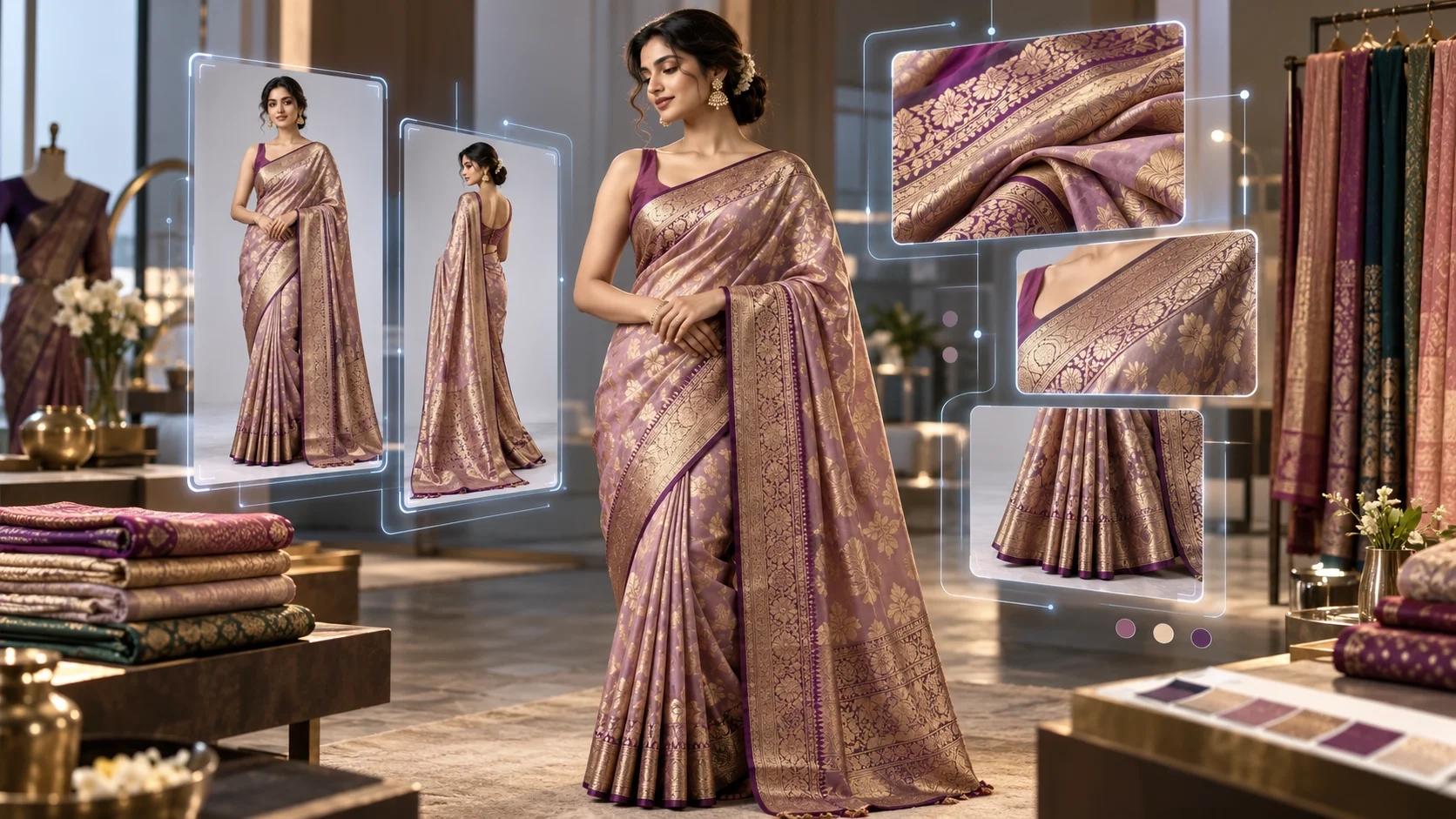
AI Catalogue Generator for Saree Manufacturers: Complete Guide
For saree manufacturers, wholesalers, exporters, boutiques, and online fashion brands, creating a professional product catalogue has traditionally required models, photographers, makeup artists, studios, retouching, coordination, and significant production time.
That workflow becomes even more difficult when a manufacturer launches dozens or hundreds of new saree designs every month.
An AI catalogue generator for saree manufacturers provides a different approach.
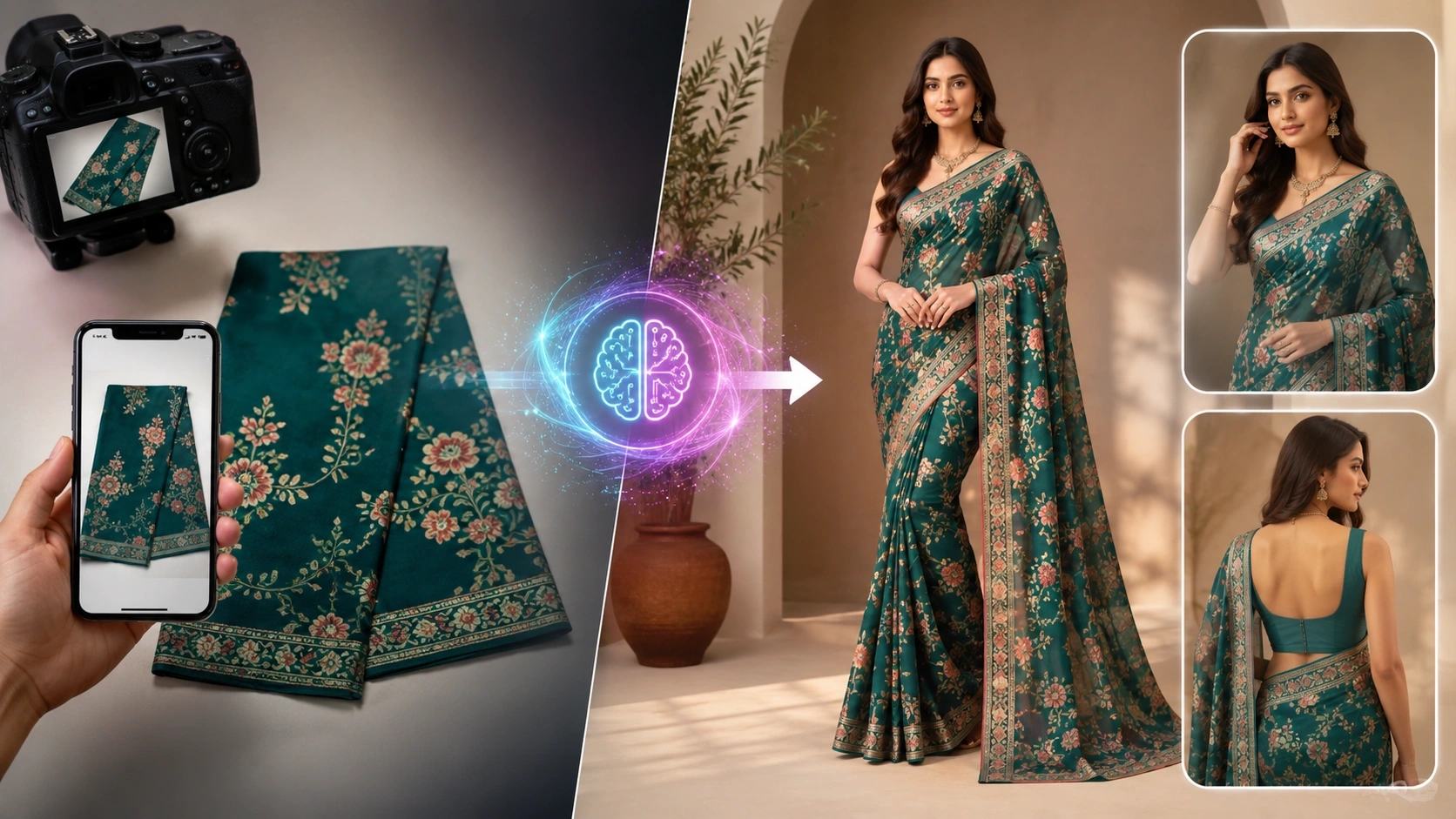
Instead of arranging a complete photoshoot for every new saree, manufacturers can use product or fabric images as references and create professional model-worn catalogue visuals with AI.
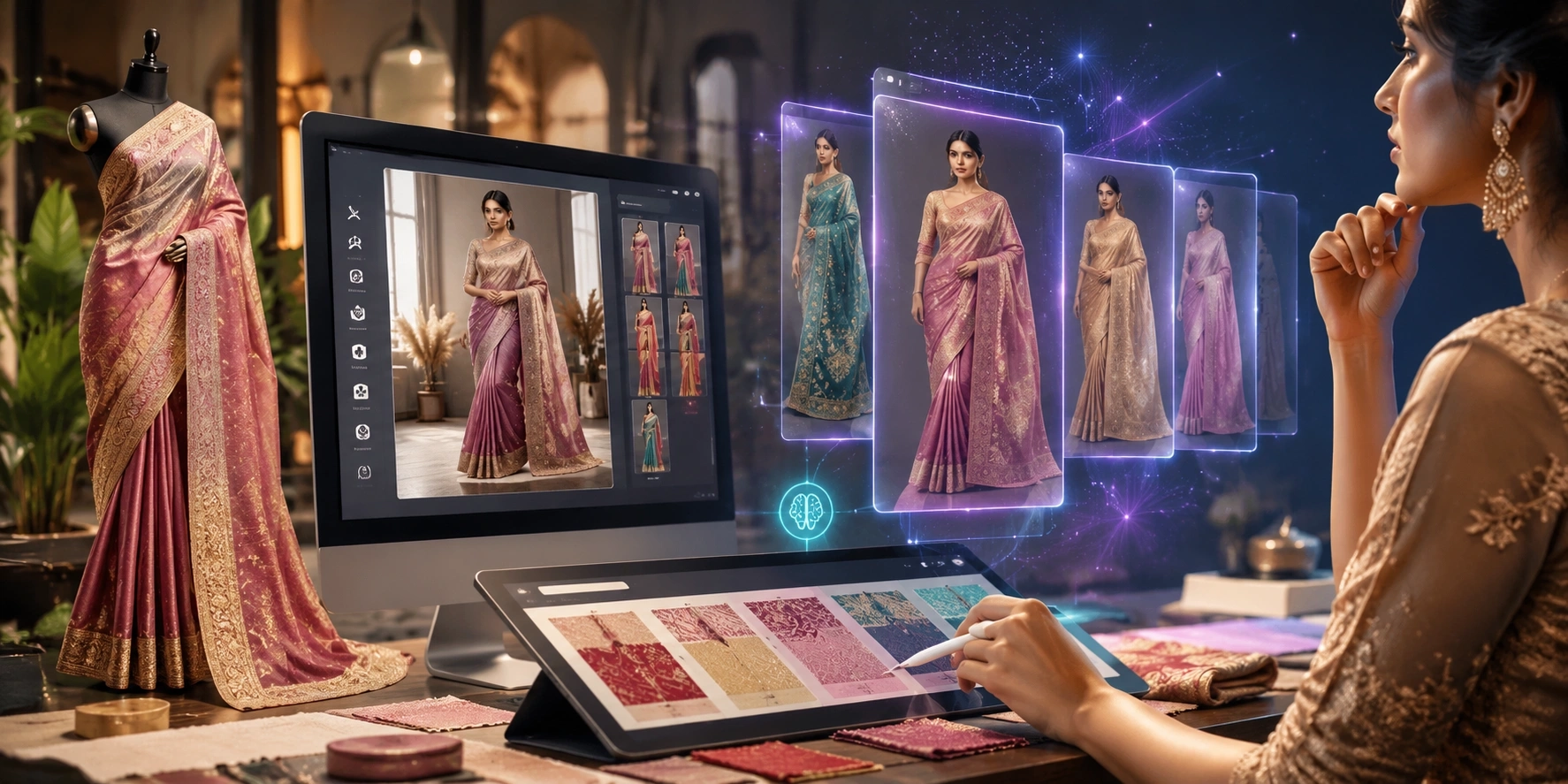
With platforms such as Textile AI, saree businesses can build catalogue images, create different model poses, generate e-commerce visuals, prepare social media creatives, and turn textile designs into presentation-ready fashion content from a digital workflow.
This guide explains how AI saree catalogue generation works, where manufacturers can use it, how to prepare better input images, and how different AI fashion tools can become part of a complete catalogue workflow.
What Is an AI Catalogue Generator for Saree Manufacturers?
An AI catalogue generator is a fashion visualization tool that converts product references such as saree photographs, fabric images, blouse references, or garment images into professional catalogue-style visuals.
For example, instead of photographing every saree on a model manually, a manufacturer can provide clear product references and use an AI saree catalogue generator to visualize the saree on a model.
This can be particularly useful for:
-
Saree manufacturers
-
Textile wholesalers
-
Saree exporters
-
Fashion boutiques
-
Shopify saree stores
-
Instagram sellers
-
D2C fashion brands
-
Marketplace sellers
-
Catalogue designers
-
Textile marketing teams
The goal is not simply to create an attractive AI image.
For e-commerce, the important challenge is maintaining the identity of the actual product—including its colors, border, pattern, blouse design, texture, and overall appearance—while presenting it professionally.
Textile AI provides a dedicated AI Saree Drape & E-commerce Studio built specifically around this type of workflow.
Why Saree Manufacturers Need Better Catalogue Production
A saree is a highly visual product.
Before purchasing online, customers usually want to understand:
-
How the saree looks when worn
-
How the pallu falls
-
How the border appears on the body
-
How the blouse coordinates with the saree
-
How the fabric looks from different angles
-
Whether the product feels traditional, premium, festive, casual, or contemporary
A folded saree photo can show the product, but it often cannot communicate the complete appearance of the final outfit.
Professional model photography solves that problem, but producing it continuously at manufacturing scale can become difficult.
Imagine a manufacturer introducing 100 new saree designs.
Each design may require:
-
Front pose
-
Side pose
-
Back pose
-
Pallu-focused image
-
Border close-up
-
Blouse view
-
Lifestyle image
-
Marketplace image
-
Social media creative
That can quickly turn 100 products into hundreds of images.
An AI-powered saree catalogue workflow can help manufacturers create these visual assets more efficiently without building a new physical photoshoot around every product launch.
How an AI Saree Catalogue Generator Works
The exact process depends on the tool being used, but a typical workflow consists of a few simple stages.
Step 1: Upload Your Saree Image
Start with a clear photograph of the original saree.
Depending on the source material, this could be:
-
Flat-lay saree image
-
Folded saree image
-
Hanger image
-
Fabric photograph
-
Product reference image
The clearer the source image, the easier it is for AI to understand important elements such as colors, motifs, zari, borders, and overall textile design.
For saree-specific generation, use the AI Saree Drape Studio.
Step 2: Add Important Detail References
Complex sarees often contain details that may not be completely visible in one photograph.
For better catalogue consistency, manufacturers can provide supporting references such as:
-
Blouse front
-
Blouse back
-
Saree border
-
Pallu details
-
Close-up fabric pattern
-
Embroidery details
-
Model reference
-
Preferred background
For premium products, providing more visual information is usually better than expecting AI to reconstruct hidden details from a single photograph.
Step 3: Select the Catalogue Style
The next step is choosing how the product should be presented.
Depending on your store and campaign, you might want:
-
Clean studio photography
-
Premium boutique interiors
-
Warm minimal backgrounds
-
Traditional Indian interiors
-
Editorial fashion photography
-
Lifestyle scenes
-
E-commerce white or neutral backgrounds
For a product listing, visual consistency between products is often more important than creating a dramatically different background for every saree.
Step 4: Generate Multiple Views
A complete catalogue should not rely on only one image.
Customers benefit from seeing the same product from multiple perspectives.
Useful saree catalogue views can include:
Front View
Shows the complete saree styling and overall product appearance.
Side View
Provides additional understanding of the silhouette and draping.
Back View
Useful when the blouse back or saree styling contains important details.
Pallu View
Highlights one of the most important design areas of many sarees.
Close-Up View
Shows embroidery, weaving, zari, prints, texture, or border details.
Lifestyle Pose
Creates a more aspirational image for advertising and social media.
For broader fashion products, Textile AI's AI Catalogue Generator can be used to create multi-angle catalogue portfolios.
From Fabric to Finished Saree Marketing Visuals
Some textile businesses operate even earlier in the production chain.
They may have a fabric design or textile swatch but not yet have a complete garment photoshoot.
This is where fabric visualization becomes useful.
The AI Fabric to Garment Generator helps transform textile or fabric references into garment-style visualizations.
This can help manufacturers preview how a textile design may appear when applied to fashion products before organizing final production photography.
Potential uses include:
-
New collection visualization
-
Buyer presentations
-
Design previews
-
B2B catalogues
-
Sales presentations
-
Product concept testing
-
Marketing mockups
For textile businesses working with many designs, this creates a more connected workflow from fabric → garment visualization → catalogue → marketing content.
AI Photoshoots for Saree Brands
Catalogue images are primarily designed to explain the product.
Marketing images have a slightly different purpose: they need to capture attention.
After preparing your core product catalogue, you can use an AI Fashion Photoshoot workflow to create additional fashion imagery for campaigns.
For example, the same saree collection can be presented through:
-
Luxury editorial shoots
-
Festive campaigns
-
Wedding-inspired visuals
-
Minimal studio photography
-
Outdoor fashion photography
-
Premium indoor settings
-
Social media campaign visuals
This allows the core product catalogue and marketing campaign to have different visual purposes while still representing the same collection.
Create a Complete Multi-Angle Product Catalogue
For online fashion stores, one hero image is rarely enough.
Customers want to inspect a garment before purchasing.
The AI Catalogue Studio is designed for multi-angle fashion catalogue creation.
A typical product portfolio might contain:
-
Front view
-
Slight angle
-
Side view
-
Back view
-
Detail view
-
Close-up image
Using consistent model identity, lighting, composition, and background across these images can make the final product page feel more professionally organized.
This approach is useful not only for sarees but also for other clothing categories.
AI Virtual Try-On for Fashion Visualization
Another useful technology for online fashion businesses is virtual try-on.
The AI Virtual Try-On Tool can help visualize clothing on models without requiring a separate traditional shoot for every experiment.
For manufacturers, designers, and e-commerce teams, virtual try-on can support:
-
Garment visualization
-
Style experimentation
-
Model presentation
-
Collection previews
-
Digital merchandising
-
Marketing concepts
It can complement catalogue generation when your business needs more than standard product photography.
Turn Catalogue Images Into Fashion Videos
Images are essential for product pages, but short-form video has become equally valuable for fashion marketing.
Once catalogue or campaign images are ready, brands can use the AI Video Studio to create motion-based fashion content.
Possible applications include:
-
Instagram Reels
-
Product showcase videos
-
Collection launch videos
-
Website hero videos
-
Advertising creatives
-
Social media campaigns
-
Product storytelling
A manufacturer can therefore move from a simple saree image toward a more complete digital content pipeline:
Saree Image → Model Catalogue → Campaign Photoshoot → Video Creative
Benefits of AI Catalogue Generation for Saree Manufacturers
1. Create Catalogues Faster
Traditional fashion photography involves multiple people and production stages.
AI catalogue creation can simplify the workflow between receiving a product image and preparing a catalogue visual.
This is particularly useful for manufacturers launching collections frequently.
2. Handle Large Product Collections
A wholesaler may have hundreds of saree SKUs.
Producing individual physical photoshoots for every SKU can create a major operational bottleneck.
An AI catalogue workflow can make it easier to process larger collections digitally.
3. Maintain a Consistent Brand Look
Professional e-commerce stores benefit from visual consistency.
Using a similar:
-
Model
-
Camera framing
-
Background
-
Lighting
-
Image ratio
-
Catalogue structure
across a collection can make product pages look more organized.
4. Create More Images Per Product
Instead of displaying only one folded-product image, manufacturers can create multiple useful views.
More visual information can help customers understand the product before making a purchase decision.
5. Support B2B and D2C Sales
Manufacturers increasingly sell through multiple channels.
The same collection may need visuals for:
-
Wholesale buyers
-
Distributors
-
Shopify
-
Brand websites
-
Instagram
-
WhatsApp catalogues
-
Online marketplaces
-
Paid advertising
AI-generated catalogue assets can be adapted for several of these channels.
6. Test Collections Before Large Campaigns
Manufacturers can also create visualization concepts before committing to larger campaign shoots.
This can be useful when selecting:
-
Background direction
-
Model styling
-
Collection themes
-
Campaign concepts
-
Product combinations
Best Image Size for Saree E-commerce Catalogues
Different platforms require different image formats.
4:5 Portrait
A 4:5 portrait format is highly useful for fashion catalogues, product cards, Instagram posts, and many mobile-first storefronts.
It provides enough vertical space to show the complete saree drape and model.
9:16 Vertical
Use 9:16 for:
-
Instagram Stories
-
Reels covers
-
Full-screen mobile creatives
-
Vertical advertisements
1:1 Square
Square images remain useful for:
-
Marketplace thumbnails
-
Social media
-
Collection grids
-
Promotional creatives
Whatever format you choose, maintain the same ratio across a collection wherever possible.
How to Get Better Results From an AI Saree Catalogue Generator
AI output quality depends heavily on the quality of the reference images.
Use Clear Product Photos
Avoid heavily blurred or compressed source images.
Patterns, colors, borders, and textile details should be clearly visible.
Photograph the Saree in Good Lighting
Strong color casts can make it difficult to understand the actual textile color.
Use neutral, even lighting whenever possible.
Upload Border and Pattern Close-Ups
If the saree contains intricate:
-
Zari
-
Embroidery
-
Prints
-
Woven motifs
-
Decorative borders
provide close-up references.
Include Blouse References
If the blouse is an important part of the product, provide separate front and back references where available.
Keep Model Style Consistent
If your brand has an established visual identity, avoid changing the model appearance dramatically between every product.
Consistency makes the catalogue feel like one collection rather than unrelated images.
Use Consistent Backgrounds
For product pages, simple and repeatable backgrounds usually work better than using a completely different location for every SKU.
Save more experimental environments for campaign images and advertisements.
AI Catalogue Generator vs Traditional Photoshoot
| Requirement | Traditional Photoshoot | AI Catalogue Workflow |
|---|---|---|
| Physical model | Usually required | Digital model workflows available |
| Studio | Often required | Not necessarily required |
| Photographer | Required | Not required for AI generation |
| Product coordination | High | Reduced |
| Multiple locations | Requires separate production | Can be visualized digitally |
| New poses | Requires shooting again | Additional generations possible |
| Scaling large SKU collections | Production intensive | More suitable for digital scaling |
| Campaign experimentation | Costly to reshoot | Easier to test multiple directions |
| Starting input | Physical shoot setup | Existing product/fabric images |
Traditional photography remains valuable for major brand campaigns and situations requiring complete physical accuracy.
AI catalogue generation is particularly useful when manufacturers need speed, scalability, experimentation, and frequent catalogue production.
Many businesses may ultimately use a combination of both approaches.
AI Catalogue Workflow for Saree Manufacturers
A practical workflow can look like this:
Stage 1 — Prepare the Textile
Start with clear images of your saree, fabric, border, pallu, and blouse.
If you are beginning from a textile design, explore the Fabric to Garment AI Tool.
Stage 2 — Create the Saree Drape
Use the AI Saree Drape & E-commerce Studio to create model-worn saree visuals.
Stage 3 — Build the Catalogue
Use the AI Catalogue Generator to create a structured multi-angle catalogue.
Stage 4 — Create Campaign Visuals
Use the AI Fashion Photoshoot Tool for editorial and marketing-oriented images.
Stage 5 — Test Additional Model Presentation
Use AI Virtual Try-On for additional garment visualization workflows.
Stage 6 — Create Video Content
Turn approved campaign imagery into motion content with AI Video Studio.
AI Catalogue Tools for Other Fashion Categories
Many textile manufacturers sell more than sarees.
Textile AI also provides dedicated workflows for several clothing categories.
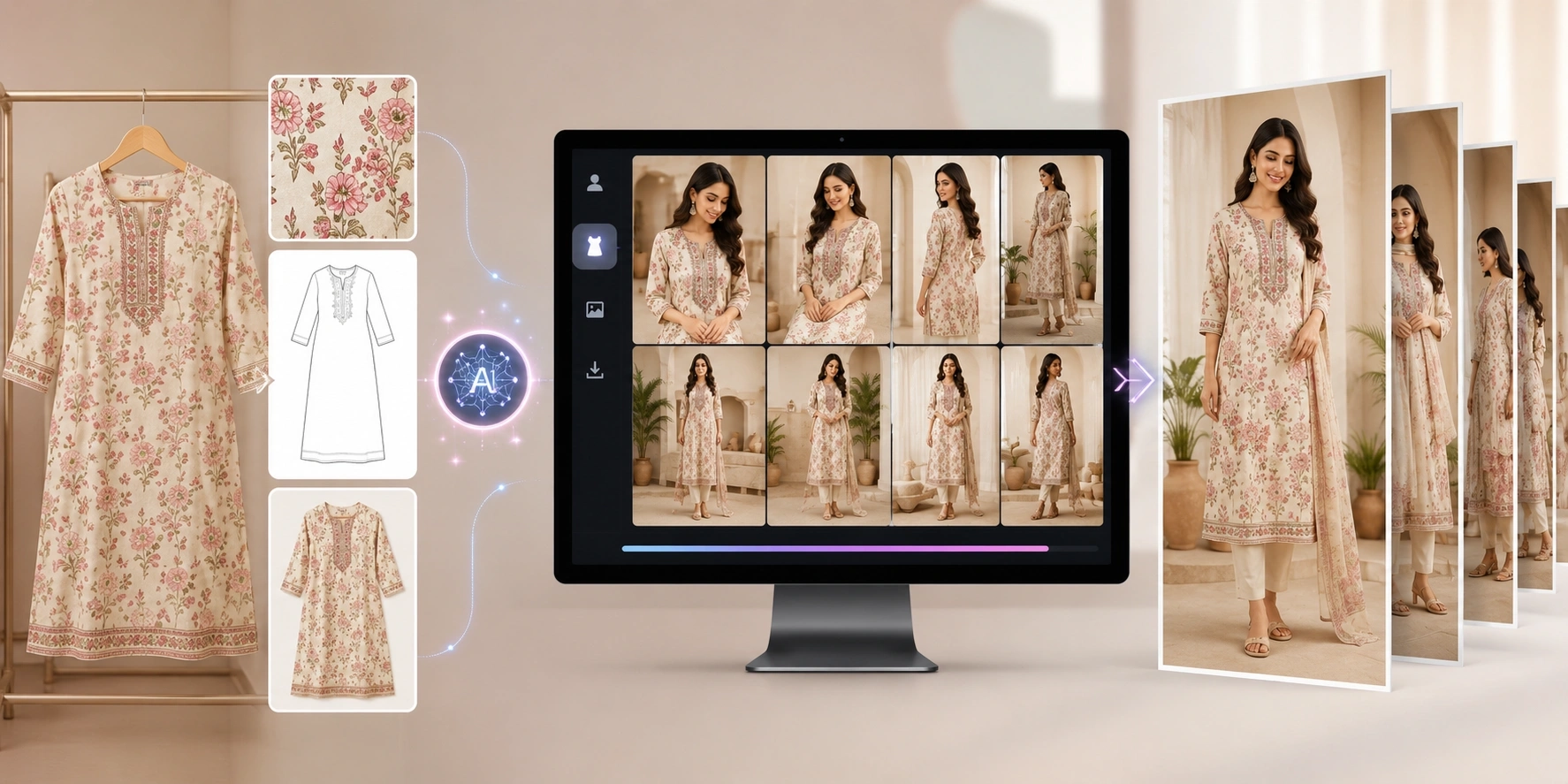
AI Kurti Catalogue Generator
Kurti manufacturers can use the AI Kurti Catalogue Generator to create model-based catalogue visuals for kurti collections.
This can be useful for producing:
-
Front views
-
Side views
-
Back views
-
Detail shots
-
Marketplace images
-
Online store catalogues
AI Blazer Catalogue Generator
Fashion businesses working with formalwear can use the AI Blazer Catalogue Generator for blazer and formal-fashion catalogue creation.
AI Abaya & Jalabiya Catalogue Generator
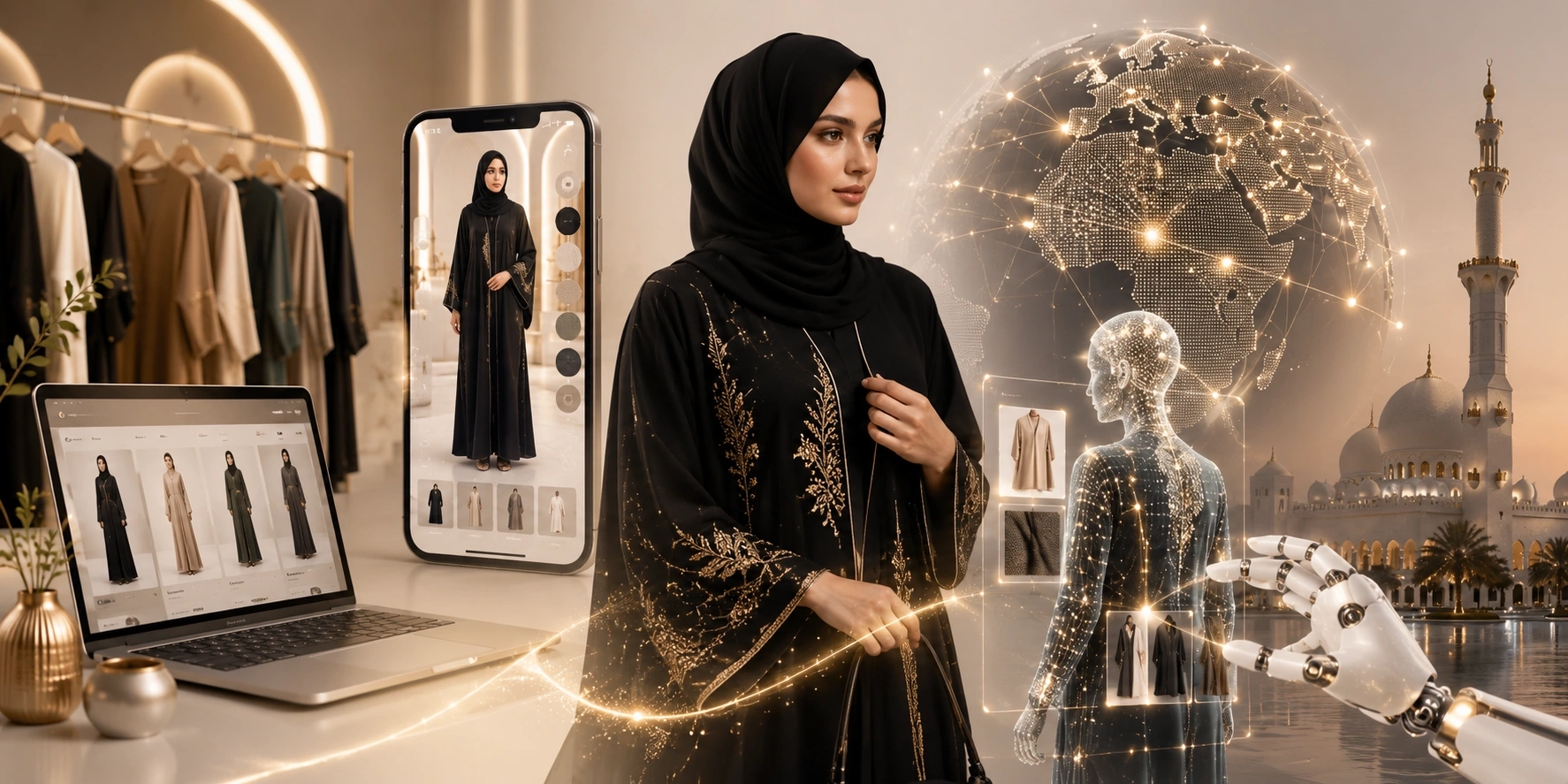
Modest fashion manufacturers and exporters can explore the AI Abaya & Jalabiya Catalogue Generator to create product presentation images for abaya and jalabiya collections.
This can be particularly relevant for brands selling into international modest-fashion markets.
Useful Free Image Tools for E-commerce Teams
Creating the catalogue is only part of the workflow.
Before uploading images to your website, you may also need to crop, resize, convert, compress, or watermark them.
Textile AI provides several supporting image utilities.
Online Image Cropper
Crop fashion catalogue images into the required composition before publishing.
Image Converter
Convert images into formats suitable for your store or marketing workflow.
Image Resizer
Resize catalogue images for websites, marketplaces, advertisements, and social media.
Image Compressor
Reduce image file size before uploading large product catalogues to your website.
Image Watermark Tool
Add branding or ownership marks when distributing catalogue images through dealers, marketplaces, or other channels.
Who Should Use an AI Saree Catalogue Generator?
An AI saree catalogue generator can be useful for several types of businesses.
Saree Manufacturers
Turn regular product photographs into more presentation-ready model catalogue visuals.
Surat Textile Manufacturers
Manufacturers producing frequent collections can use AI workflows to prepare digital catalogues for buyers, distributors, websites, and online campaigns.
Saree Wholesalers
Create more structured product presentation material for retailers and resellers.
Exporters
Prepare digital visual assets for buyers across different markets without organizing a new physical shoot for every presentation.
D2C Fashion Brands
Build consistent catalogue imagery for websites, social campaigns, and collection launches.
Shopify Store Owners
Generate model-oriented catalogue images and prepare them for mobile-friendly product pages.
Instagram Saree Sellers
Turn product inventory into more engaging fashion visuals for posts, stories, advertisements, and launches.
Can AI Replace Saree Photography Completely?
Not necessarily.
AI catalogue generation and traditional photography solve slightly different problems.
Physical fashion photography can still be important for:
-
Major advertising campaigns
-
Celebrity shoots
-
Brand films
-
Highly controlled luxury campaigns
-
Situations requiring complete physical documentation
AI becomes especially useful when the main challenge is producing large volumes of digital catalogue and marketing content.
For many manufacturers, the strongest workflow may be hybrid:
Use traditional photography for flagship brand campaigns and AI for scalable catalogue production, collection visualization, marketplace images, and digital content.
The Future of Saree Catalogue Creation
Fashion e-commerce is moving toward faster and more flexible content production.
Manufacturers increasingly need to create not only a product photograph, but an entire set of digital assets for each design.
One saree may eventually require:
-
E-commerce catalogue images
-
Multiple model poses
-
Product close-ups
-
Social media images
-
Advertising creatives
-
Marketplace images
-
Website banners
-
Videos
-
Different aspect ratios
AI helps move catalogue production from a single photoshoot workflow toward a reusable digital production system.
For saree manufacturers handling large and frequently changing collections, that shift can be particularly valuable.
Start Creating AI Saree Catalogue Images
If you already have saree product photographs, fabric images, or a new textile collection, you can begin by creating a model-worn visualization.
Start with the AI Saree Drape & E-commerce Studio.
For a broader multi-angle catalogue, explore the AI Catalogue Generator for Fashion Brands.
If you are beginning only with a textile or fabric design, try the AI Fabric to Garment Generator.
Textile AI brings multiple fashion visualization workflows into one platform so manufacturers and fashion businesses can move from raw textile references to catalogue-ready digital content more efficiently.