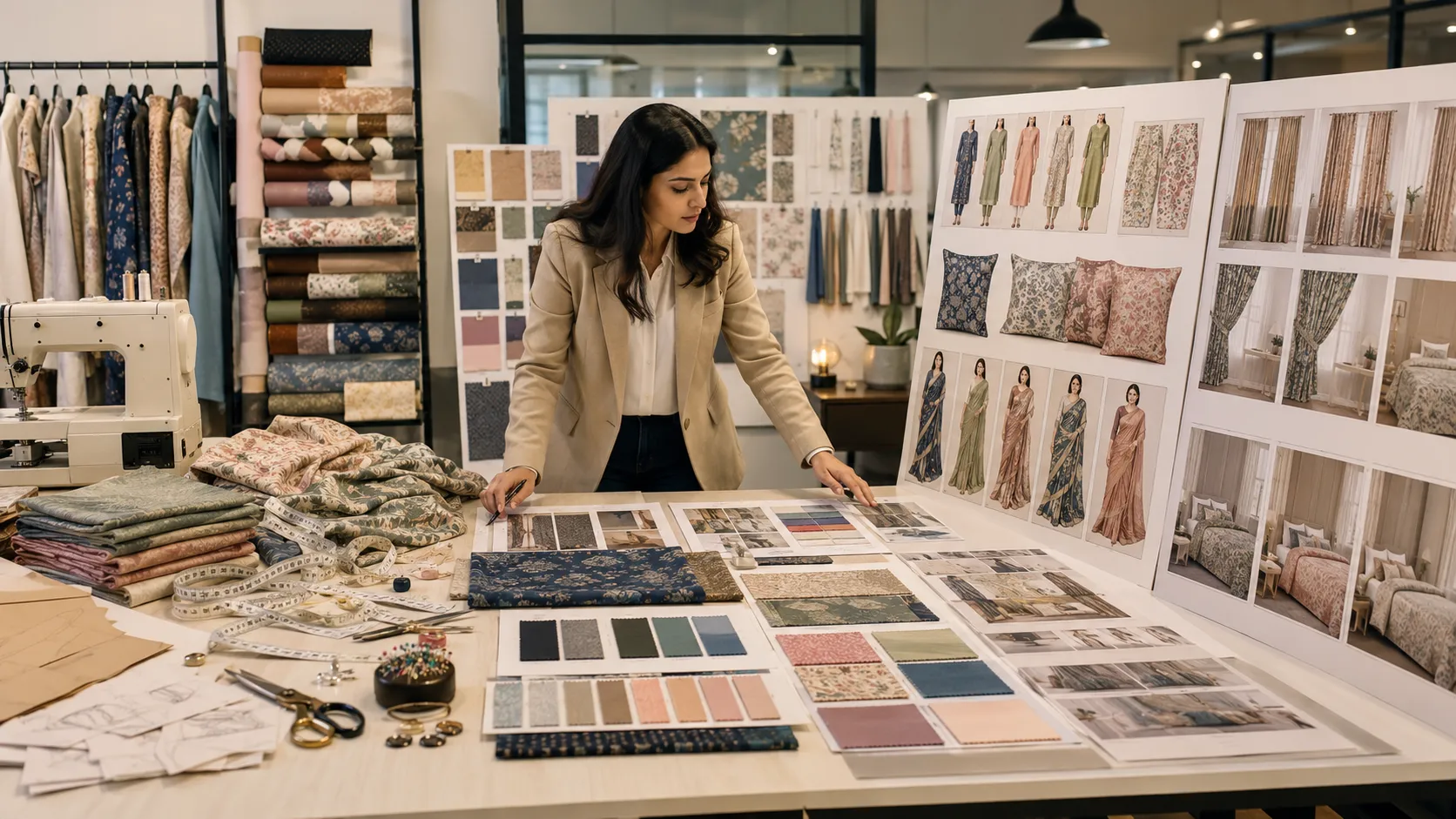
Saree selling is all about visuals.
A saree may have beautiful color, rich border, premium pallu, and detailed blouse work. But if the product photo does not show the final draped look, many customers may not understand its real beauty.
This is a common problem for:
- Saree brands
- Boutiques
- Wholesalers
- Shopify sellers
- Instagram stores
- Textile manufacturers
Flat saree photos are useful, but they are not enough for online selling.
Customers want to see how the saree looks when worn. They want to see:
- Pallu
- Pleats
- Blouse design
- Border placement
- Fabric fall
- Overall styling
Creating these images through a traditional photoshoot takes time and money.
But now AI can help saree brands create professional catalog images in minutes.
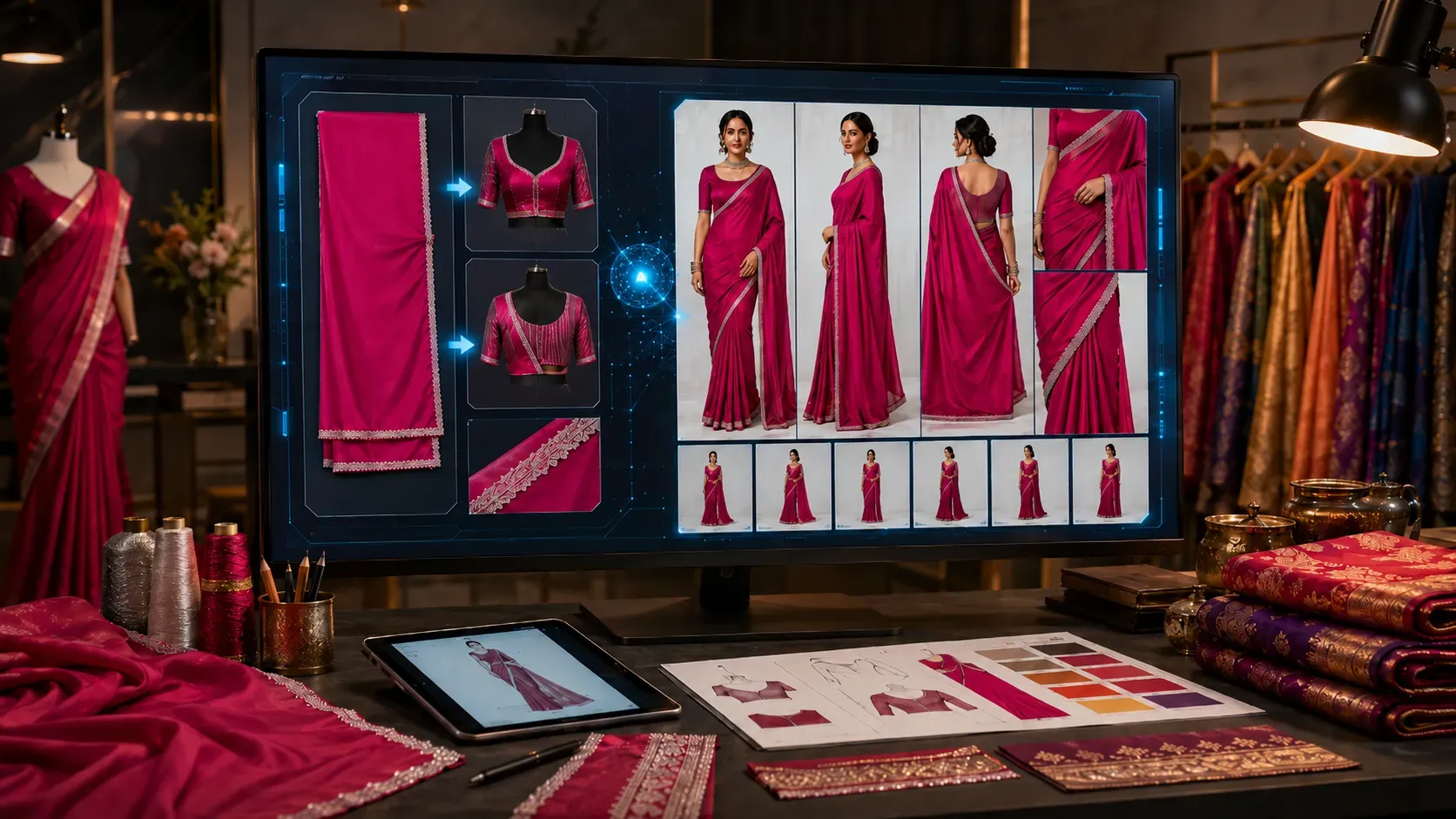
With The Textile AI Saree Drape E-commerce Studio, brands can upload a raw saree photo and generate model-worn saree catalog images using AI.
Tool link:
https://www.thetextileai.com/ai/tools/saree-drape-e-commerce-studio
Why Saree Brands Need Better Catalog Images
Online customers cannot touch the fabric. They cannot check the drape in person. They cannot see how the pallu will fall or how the border will look on the body.
They depend on product images.
That is why saree catalog images are very important.
A good catalog image helps customers understand:
- How the saree looks when worn
- How the pallu falls
- How the pleats appear
- How the border looks on the body
- How the blouse matches the saree
- How premium the saree looks in real styling
A flat photo can show the product, but a model-worn image shows the complete look.
“In saree e-commerce, the image does not just display the product. It helps the customer imagine wearing it.”
The Problem with Traditional Saree Photoshoots
Traditional saree photoshoots are not easy.
To create model-worn saree photos, a brand usually needs:
- A professional model
- A photographer
- A studio
- A saree draping expert
- Makeup and styling
- Lighting setup
- Background setup
- Photo editing
- Multiple poses
- Catalog formatting
This process can take days or weeks.
If you have only 5 or 10 sarees, it may still be manageable. But if you have 100, 300, or 500 sarees, traditional photoshoots become very expensive and slow.
For saree brands that launch new collections regularly, this delay can affect sales.
Tip: If your products are ready but catalog images are pending, your selling process becomes slow. AI helps reduce that delay.
How AI Creates Saree Catalog Images in Minutes
AI saree catalog generation makes the process faster.
Instead of arranging a full photoshoot, you upload your saree assets and let AI create realistic catalog-style visuals.
The process is simple and business-friendly.
Step 1: Upload the Raw Saree Photo
The first step is to upload the main saree image.
This can be:
- Flat saree photo
- Folded saree photo
- Hanger photo
- Raw stock image
- Saree bundle photo
- Product photo showing border and color
This image tells the AI what your saree looks like.
The AI reads the saree color, border, pattern, pallu, and overall design.
For better results, the raw saree photo should be clear and properly lit.
Remember: A clear saree photo gives the AI better information, which helps create better catalog images.
Step 2: Upload Blouse Front Reference
The blouse is an important part of saree presentation.
Many customers notice:
- Blouse design
- Neckline
- Sleeve border
- Embroidery
- Front styling
- Fabric matching
With AI saree draping, you can upload a blouse front reference. This helps AI understand how the blouse should look in the final model-worn image.
This is useful for:
- Designer sarees
- Boutique sarees
- Bridal sarees
- Festive sarees
- Premium ethnic wear
- Catalogue collections
If your blouse design is important, do not skip this input.
Step 3: Upload Blouse Back Reference
Back view is also important in saree catalog photography.
Many modern sarees include stylish blouse backs, deep necklines, tie-ups, hook designs, borders, tassels, and embroidery.
A blouse back reference helps AI generate better back-side catalog images.
This is especially useful when you want a complete product gallery with front, side, and back views.
“A professional saree catalog should show not only the saree, but also the blouse details that complete the look.”
Step 4: Upload Zoomed Pattern or Border Detail
Saree beauty often lives in small details.
The border, zari, embroidery, butti, pallu work, woven texture, and color finish can make a saree look premium.
A full saree image may not capture these details clearly.
That is why uploading a zoomed pattern or border image is helpful.
A zoomed image can help AI understand:
- Zari border
- Embroidery scale
- Butti design
- Stone work
- Pallu pattern
- Fabric texture
- Weave detail
- Color finish
This is very important for heavy work sarees and premium catalog images.
Tip: For sarees with detailed borders or pallu work, always upload a close-up image. Small details can make a big difference in the final catalog output.
Step 5: Add Model Reference for Brand Consistency
Some saree brands want a consistent model look across the full catalog.
This makes the website or Shopify store look more premium.
AI saree tools can use a model or face reference to help create a consistent visual style.
This is useful when you want:
- Same model style across products
- Consistent brand identity
- Clean product grid
- Professional e-commerce look
- Better visual trust
For online stores, consistency matters.
If every product photo looks completely different, the catalog may feel messy. But if all product images follow a similar style, your brand looks more professional.
Step 6: Generate Multiple Saree Poses
One image is not enough for a saree product page.
Customers want to see different angles.
AI can generate multiple catalog poses from one saree reference.
Useful saree catalog poses include:
- Front pose
- Side pose
- Walking pose
- Sitting pose
- Back view
- Pleat close-up
- Pallu detail
- Editorial-style pose
These images help customers understand the full product.
The more clearly a customer understands the saree, the more confident they feel while buying.
Step 7: Use the Right Aspect Ratio
For e-commerce, image size and ratio matter.
A saree photo should look good on:
- Mobile screens
- Website product cards
- Instagram posts
- Shopify collection pages
- Marketplace listings
- WhatsApp catalogs
Common useful ratios include:
- 2:3
- 3:4
- 4:5
- 9:16
- 1:1
- 16:9
For saree product listings, portrait ratios like 3:4 and 4:5 are usually very useful.
They show the full model-worn look and also work well on mobile screens.
Remember: A beautiful image can lose impact if the size or crop is wrong. Always choose the right aspect ratio for your platform.
Why AI Saree Catalog Images Are Useful for E-commerce
AI saree catalog images help brands present products faster and better.
They are especially useful for online stores where customers depend completely on visuals.
Here are the main benefits.
Benefit 1: Faster Catalog Creation
Traditional catalog creation can take many days.
AI can generate saree visuals much faster.
This helps brands upload new collections quickly and start selling sooner.
For fast-moving fashion businesses, speed is important.
If you launch late, another seller may capture the customer first.
“In online fashion, faster catalog creation means faster product launch.”
Benefit 2: Lower Photoshoot Cost
Saree photoshoots can be costly.
Every extra saree, pose, model, and edit increases the budget.
AI helps reduce repeated photoshoot dependency.
You can create professional-looking model-worn saree images without arranging a full studio shoot every time.
This is useful for small boutiques as well as large saree manufacturers.
Benefit 3: Better Product Presentation
A model-worn saree image makes the product easier to understand.
It shows the saree as a finished look.
Customers can see:
- Drape
- Fall
- Pallu
- Pleats
- Border
- Blouse
- Styling
This makes the product page stronger.
A better product page can create more trust.
Benefit 4: More Visuals from One Saree
With AI, you can create multiple images from one saree.
This helps you build a complete product gallery without planning multiple photoshoot setups.
For example, one saree can have:
- Main product image
- Side angle image
- Back blouse image
- Close-up pleat image
- Pallu display image
- Lifestyle-style image
This makes your online listing more detailed and attractive.
Benefit 5: Consistent Brand Look
A clean catalog builds trust.
When every product image follows a similar style, your website looks more professional.
AI can help maintain consistency across:
- Lighting
- Background
- Model style
- Framing
- Aspect ratio
- Catalog mood
This is very useful for Shopify stores and D2C saree brands.
Tip: Use consistent image style for your whole saree catalog. It makes your brand look more premium.
Benefit 6: Better Social Media Content
Saree brands need content for Instagram, Facebook, Pinterest, WhatsApp, and ads.
AI-generated saree catalog images can also be used for social media.
You can create:
- Product posts
- Story creatives
- Reels covers
- Ad images
- Festive collection announcements
- Product launch visuals
This helps brands stay active online without waiting for new photoshoots every time.
How AI Helps Shopify Saree Stores
Shopify stores need clean product images.
A customer visits the product page and quickly decides whether the saree looks attractive or not.
AI saree catalog images help Shopify sellers create:
- Professional product cards
- Model-worn product galleries
- Collection page images
- Mobile-friendly visuals
- Campaign banners
- Ad creatives
- WhatsApp catalog images
When a Shopify store has consistent product images, it looks more trustworthy.
Customers feel more comfortable browsing and buying.
Remember: A saree store with professional model-worn images looks more serious than a store with only flat product photos.
How AI Helps Saree Manufacturers
Saree manufacturers often handle large collections.
They may have many colors, designs, borders, and fabric types.
Creating real photoshoots for every saree can slow down the entire sales process.
AI helps manufacturers create visual previews quickly.
They can show buyers how each saree may look when worn.
This is useful for:
- Wholesale catalogs
- Retailer presentations
- Buyer approvals
- New collection previews
- Color variant testing
- Export presentations
Instead of sending only raw saree photos, manufacturers can send model-worn catalog previews.
This can make their collection more attractive.
How AI Helps Boutiques
Boutiques often work with custom sarees, designer pieces, festive collections, and customer-specific selections.
Customers may ask, “How will this saree look when worn?”
AI can help boutiques answer visually.
A boutique can create a model-worn preview before arranging a real shoot.
This helps customers make decisions faster.
It also gives boutique owners a more professional way to present products online.
How AI Helps Instagram Saree Sellers
Many saree sellers run their business through Instagram and WhatsApp.
For them, product visuals are everything.
AI saree catalog images can help Instagram sellers create better-looking posts and product previews.
Instead of posting only folded saree photos, they can show model-worn looks.
This can improve engagement and make the product feel more premium.
Tip: Use AI-generated model-worn saree images as your first post image, and use real fabric close-ups as the next carousel images.
AI Saree Catalog Images vs Real Photoshoots
AI and real photoshoots both have their place.
Real photoshoots are useful for final brand campaigns, influencer shoots, luxury product launches, and real-life product validation.
AI saree catalog images are useful for speed, scale, and cost control.
Use Real Photoshoots For
- Premium campaign shoots
- Celebrity or influencer shoots
- Physical product validation
- Brand storytelling
- Final luxury collection images
Use AI Saree Catalog Images For
- Fast product previews
- Shopify catalog images
- Social media posts
- Buyer presentations
- Wholesale catalogs
- Multiple pose generation
- Early collection testing
Both methods can work together.
AI can help you test and present more products quickly. Then you can select your best products for real photoshoots.
Note: AI does not remove real photography completely. It reduces the need for repeated catalog shoots for every product.
How AI Improves Buyer Confidence
Customers feel more confident when they understand the product clearly.
A model-worn saree image gives them a better idea of the final look.
It answers questions that a flat image cannot answer.
For example:
- How does the saree look on a model?
- How does the border appear after draping?
- How does the blouse match?
- How does the pallu fall?
- How elegant does the saree look overall?
This clarity can support better buying decisions.
“Better visuals reduce doubt. Less doubt can lead to faster purchase decisions.”
Best Use Cases for AI Saree Catalog Images
AI saree catalog images can be used in many ways.
Best use cases include:
- Shopify product pages
- Saree e-commerce stores
- Instagram posts
- WhatsApp catalogs
- Wholesale buyer PDFs
- Festive launch campaigns
- Boutique product previews
- Marketplace listings
- New collection lookbooks
- Ad creatives
- Website banners
- Catalog cover images
- Product gallery images
This makes AI very useful for daily saree selling and marketing.
How to Get Better Results from AI Saree Tools
AI works best when you give it good input.
Here are simple tips for better results:
- Use a clean raw saree photo
- Make sure the saree color is clearly visible
- Show the border and pallu properly
- Upload blouse front reference if available
- Upload blouse back reference if needed
- Add a zoomed border or pattern image
- Use a model reference for consistent branding
- Choose the right aspect ratio
- Write clear custom instructions for pose, lighting, and background
- Review generated images before publishing
Remember: Good reference images help AI create better saree catalog images.
Why The Textile AI Saree Drape E-commerce Studio is Useful
The Textile AI Saree Drape E-commerce Studio is built for saree sellers and ethnic wear brands.
It is designed to help users turn raw saree photos into model-worn catalog visuals.
The tool supports important inputs like:
- Raw saree image
- Blouse front reference
- Blouse back reference
- Zoomed pattern image
- Model reference
- Catalog image count
- Aspect ratio
- Custom instructions
This makes it useful for brands that want e-commerce-ready saree images without depending on full photoshoot workflows.
Tool link:
https://www.thetextileai.com/ai/tools/saree-drape-e-commerce-studio
The Future of Saree Catalog Creation
Saree e-commerce is becoming faster and more competitive.
Customers expect better visuals. Brands need to launch products quickly. Sellers need content for websites, social media, WhatsApp, and ads.
AI helps solve this challenge.
In the future, saree brands will use AI for:
- Catalog image generation
- Saree draping
- Model-worn product photos
- Color variants
- Product banners
- Social media creatives
- Buyer presentation visuals
- Video showcase content
AI will not replace the beauty of real saree craftsmanship.
It will help brands present that beauty faster.
Final Thoughts
AI is helping saree brands create professional catalog images in minutes.
Instead of waiting for expensive photoshoots, brands can upload a raw saree image and generate model-worn visuals quickly.
This helps save time, reduce cost, improve product presentation, and make online stores look more professional.
For saree manufacturers, boutiques, Shopify sellers, Instagram stores, wholesalers, and ethnic wear brands, AI saree catalog generation can become a powerful business tool.
Try The Textile AI Saree Drape E-commerce Studio here:
https://www.thetextileai.com/ai/tools/saree-drape-e-commerce-studio