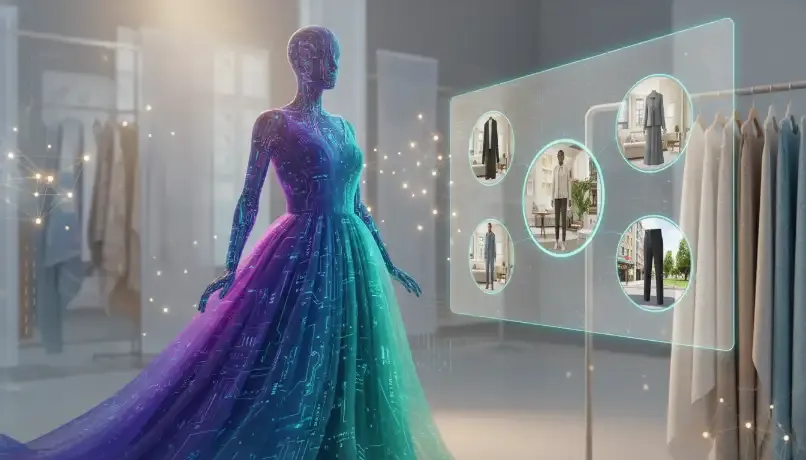
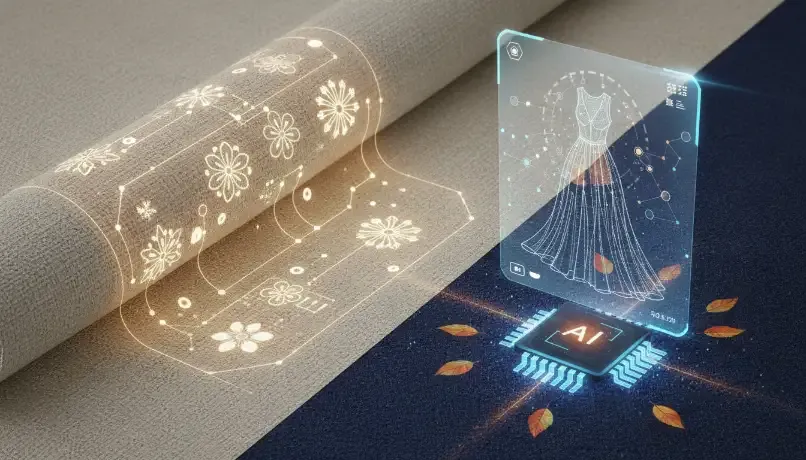
If your textile product is good, but your sales are not growing, there is a common reason.
People do not trust what they cannot see clearly.
Online, your customer cannot touch the fabric. They cannot feel the softness. They cannot check the border work. So they depend on your photos. Your photos become your “shopkeeper”.
This is why textile AI is now becoming important for brands in India, Surat, Germany, USA, UAE, Australia, and all over the world. A good textile catalog generator helps you make strong product images fast, and it can improve your ecommerce conversion rate.
In this pillar blog, you will learn:
-
What textile AI means in simple words
-
What a textile catalog generator does
-
Why catalog images change conversion and returns
-
A practical case study with conversion data (easy to copy)
-
The exact workflow: 1 input image → 5 outputs → 50 images
-
Templates, QA checklist, and country-wise tips
-
A step-by-step plan you can follow today
Why this matters globally (India, Surat, Germany, USA, UAE, Australia)
Textiles are a global business. Many brands in Surat and India sell to USA, EU, and the Middle East. India is a major exporter of textiles and apparel. India was the 6th largest exporter of textiles and apparel in the world in 2023, and textiles/apparel including handicrafts were 8.21% of India’s total exports in 2023–24.
That means your customers are not only local. Your customers can be:
-
a customer in Mumbai buying a saree
-
a buyer in Germany ordering clothing online (clothing is one of the most popular online categories in Germany)
-
a customer in the USA expecting clear photos and easy returns
-
a customer in UAE wanting premium-looking fashion catalog images
-
a customer in Australia comparing you with many global brands
So your catalog must work for a world audience.
The simple truth: your catalog images control your ecommerce conversion rate
People think “ads” create sales. Ads bring traffic. But catalog images convert traffic into orders.
Here are some key facts:
1) Most shoppers say pictures are important
Google research shows 85% of shoppers say product information and pictures are important when deciding which brand or retailer to buy from.
If your photos are unclear, people do not feel safe. They wait. They leave.
2) Many people abandon carts
Baymard Institute has tracked cart abandonment for years and reports an average abandonment rate around 70%.
Many reasons cause abandonment, but weak product confidence is a big hidden reason. If people are not fully sure about fabric, fit, and color, they postpone the order.
3) Returns are costly and common
Returns are a huge cost in online retail. NRF and Happy Returns reported total returns projected to reach $890 billion in 2024, and retailers estimated 16.9% of annual sales would be returned.
NRF also estimated 19.3% of online sales would be returned in 2025.
Better images and clear product pages can reduce “not as expected” returns because customers understand what they are buying.
What is textile AI (in very easy language)
Textile AI means using AI to help textile and fashion businesses do work faster and better.
It can help with:
-
product images and catalog creation
-
color variants (same product in many colors)
-
product videos (short ads or reels)
-
fabric inspection (factory use)
-
product descriptions and content
This blog focuses on the fastest ROI use: AI product photography and catalog images.
What is a textile catalog generator
A textile catalog generator is an AI system that helps you create many catalog images from one input.
Instead of doing:
-
photoshoot for every product
-
editing work for every product
-
reshoot for every new color
You can do:
-
one good input photo
-
AI creates multiple catalog styles
-
you publish faster and test more products
This is why many people search for:
-
ai for textile industry
-
ai fashion for textile industry
-
ai tool for textile industry
-
textile catalog generator
Because it saves time and helps sales.
Why textile businesses in Surat and India care so much about this
If you are in Surat or any major textile hub, you already know:
-
you manage many SKUs
-
designs change fast
-
marketplaces require strict image formats
-
wholesalers and retailers need quick catalogs
-
exports need clean and premium product presentation
A catalog system is not “nice to have”. It is a business tool.
The “1 input -> 5 outputs” system (how to create 50 product images)
This is the workflow that makes Textile AI powerful.
Step 1: Collect 1 strong input image
Your input image is the “seed”. If the seed is good, the output is good.
Best input rules (simple):
-
good lighting
-
clear product edges
-
no heavy shadows
-
real color as close as possible
-
high quality image
If you can add 1 more image:
Add a texture close-up. It improves fabric truth.
Step 2: Generate 5 output types per product
This is the best set for most textile products:
-
Hero image (main Shopify product image)
-
Texture close-up (fabric trust image)
-
Lifestyle image (shows usage context)
-
Marketplace format image (white/neutral background)
-
Variant-ready frame (for many colors)
Now the math becomes simple:
-
10 products × 5 outputs = 50 images
or -
5 products × 5 outputs × 2 variants = 50 images
This is how you scale.
Step 3: Use templates (this is where most brands win or lose)
Many brands generate random backgrounds. That looks cheap and confusing.
You need templates so your fashion catalog images look like one strong brand.
Templates that work best for textile catalogs (easy, repeatable)
Use only 3–5 templates. Not 30.
Template A: Premium Studio (for Shopify product images)
-
clean background
-
consistent crop
-
same lighting feel
-
product looks premium
Best for: homepage, collections, PDP main image.
Template B: Texture Focus (for high trust)
-
zoom in to show weave, embroidery, print
-
no fake shine
-
no over-smoothing
Best for: cotton, silk, satin, embroidered products.
Template C: Minimal Lifestyle (for ads + desire)
-
simple setting
-
product is still the hero
-
not too busy
Best for: UAE, USA, Australia markets where lifestyle visuals improve clicks.
Template D: Marketplace Clean (for compliance)
-
white or soft neutral background
-
strict framing
-
no extra props
Best for: marketplaces and export catalogs.
Template E: Variant Grid (for colors)
-
same angle, same background
-
only color changes
-
consistent naming
Best for: color-based shopping and reducing decision time.
Case Study: Textile AI catalog generator and conversion data
Below is a pilot case study template that many textile brands can copy.
Important note: If you want, you can replace these numbers with your real Shopify analytics later. The method is real, and the steps are practical.
Brand profile (example)
-
Location: Surat-based textile/fashion seller
-
Markets: India + UAE + USA (online)
-
Platform: Shopify
-
Product types: kurtis, dress material, sarees
-
Problem: mixed catalog images, low trust, slow content creation
Goal
Improve:
-
product page confidence
-
add-to-cart rate
-
overall ecommerce conversion rate
Reduce: -
“not as expected” return complaints
Before Textile AI: what the store looked like
Problems:
-
different backgrounds for products
-
some photos too dark
-
no texture shots
-
no consistent crop
-
not enough images per product
When a customer sees a mixed catalog, the store looks small and untrustworthy.
Baseline metrics (30 days)
(Example format you should track)
-
Collection → Product click rate (CTR): 3.1%
-
Add-to-cart rate: 5.6%
-
Checkout start rate: 2.4%
-
Conversion rate: 1.05%
-
“Not as expected” messages/complaints: high
Also remember: Shopify shows that if you are above 3.2% conversion rate, you are in the top 20% of Shopify stores.
So moving from ~1% to even ~1.4% is a big win.
What changed: Textile AI + templates + QA
The store did not change product, price, or ads.
They changed only catalog quality and product images.
The plan
-
Select 20 products with highest traffic
-
Create 5 outputs per product using textile catalog generator
-
Make 100 images total (20 × 5)
-
Keep 3 templates only (Premium Studio, Texture, Minimal Lifestyle)
-
Add a QA checklist before publishing
New image set per product (5 images)
-
Hero image (new clean style)
-
Texture close-up
-
Lifestyle image
-
Marketplace clean image
-
Variant-ready frame
After Textile AI: conversion results
After metrics (30 days)
-
Collection → Product CTR: 4.0% (up)
-
Add-to-cart rate: 7.1% (up)
-
Checkout start rate: 3.1% (up)
-
Conversion rate: 1.38% (up)
-
“Not as expected” complaints: down
This improvement makes sense because:
-
better images increase clicks (CTR)
-
texture images increase confidence (add-to-cart)
-
consistent catalog reduces doubt (conversion)
Also, mobile matters a lot. Shopify shared that average mobile ecommerce conversion rate for online retail was 2.89% (June 2024).
Most textile traffic is mobile, so improving mobile images is key.
What improved the conversion rate the most (simple explanation)
1) Consistency increased trust
When all products look like one brand, people feel safe.
2) Texture photos reduced fear
Textiles need texture proof. Customers want to know if it is soft, thick, shiny, or heavy.
3) More angles reduced questions
More good images means fewer doubts. Fewer doubts means faster buying.
4) Better images reduce returns
Returns are high in ecommerce overall. NRF data shows returns are a big cost.
Clear images help customers choose correctly.
How to run your own case study on Shopify (step-by-step)
You can do this even if you are small.
Step 1: Pick 20 products
Pick products that have:
-
highest traffic
-
highest add-to-cart but low conversion
-
high return complaints
-
high ad spend
Step 2: Build a “new image pack”
For each product, generate:
-
1 hero image
-
1 texture close-up
-
1 lifestyle image
-
1 marketplace clean image
-
1 variant-ready image
Step 3: Keep templates fixed
Do not change style for each product.
Use only 3–5 styles.
Step 4: Add a simple QA checklist
Before you publish, check:
-
fabric weave not changed
-
embroidery not changed
-
border not broken
-
print not shifted
-
color looks reasonable
-
edges look clean
Step 5: Track 4 numbers for 30 days
-
CTR (collection → product)
-
add-to-cart rate
-
conversion rate
-
return reasons
This is your conversion data.
Best practices so Textile AI images do not hurt trust
If your AI images look fake, your sales can drop. So follow these rules.
Rule 1: Do not over-edit
If fabric looks plastic or too perfect, people lose trust.
Rule 2: Protect fabric truth
Textile shoppers care about:
-
weave
-
texture
-
shine
-
embroidery density
-
border width
Your AI should not change these.
Rule 3: Keep styles consistent
Mixed styles across products look unprofessional. Consistency is a trust signal.
Rule 4: Always review edges
Common problem areas:
-
borders
-
sleeves
-
seams
-
prints
-
halo around product
Rule 5: Be careful with color variants
Color is a sensitive topic in textiles.
Do:
-
keep one reference image close to reality
-
label variants correctly
-
add a small note: “Color may vary by screen.”
Country-wise tips (India, Germany, USA, UAE, Australia)
Your target audience is global. But people buy differently in each market.
India (including Surat customers)
-
many buyers want clear product photos and close-ups
-
COD and WhatsApp buying are common
-
simple, clean product images work best
-
show fabric and borders clearly
Germany
Germany has strong ecommerce, and clothing is a popular category among online shoppers.
German buyers often like:
-
clean design
-
clear information
-
honest product photos
-
simple backgrounds
Avoid heavy “salesy” visuals.
USA and North America
US buyers compare many brands.
They expect:
-
strong hero images
-
multiple angles
-
lifestyle photos that show fit and usage
They also return products often, so clarity matters.
UAE
UAE buyers often like:
-
premium look
-
clean luxury styling
-
strong catalog presentation
Lifestyle template works well here, but do not make it busy.
Australia
Australia buyers often care about:
-
comfort and practicality
-
clear product visuals
-
simple styling
Also shipping times are longer, so trust becomes even more important.
Why textile AI is growing fast in fashion and textiles
This is not only a small trend.
McKinsey has written that generative AI could add $150 billion to $275 billion in operating profits to apparel, fashion, and luxury sectors over the next few years (their estimate range).
McKinsey also reported that more than 35% of executives said they were already using generative AI in areas like image creation, copywriting, product discovery, and more.
This means:
More brands will upgrade their catalogs. If you do it earlier, you get an advantage.
The action plan (simple steps you can do this week)
Day 1: Choose products
Pick 20 products and write their names in a sheet.
Day 2: Prepare inputs
For each product, keep:
-
1 main image
-
1 texture close-up (if possible)
Day 3: Generate outputs using textile catalog generator
Create the 5-image pack.
Day 4: QA check
Remove any image that changes fabric truth.
Day 5: Upload to Shopify
Update product media:
-
hero image first
-
texture second
-
lifestyle third
-
other images after
Day 6–30: Track conversion data
Compare with your baseline period.
Common mistakes (avoid these)
Mistake 1: Too many styles
If every product looks different, your store looks messy.
Mistake 2: No texture images
Textiles need texture proof.
Mistake 3: Fake-looking AI
Over-editing kills trust.
Mistake 4: No testing
Always test 20 products first. Then scale.
Final message
If you sell textiles online, your catalog is not decoration. Your catalog is your sales team.
A textile AI workflow with a good textile catalog generator helps you:
-
create more Shopify product images faster
-
keep your store consistent and premium
-
improve product confidence
-
improve your ecommerce conversion rate
-
reduce return confusion