How to Create a Buyer Catalog for International Fashion Buyers Using AI (No InDesign Needed)
Imagine you baked the most wonderful, tasty cake in the world. You want to sell it to people. But, you cannot show them a picture of it. You can only tell them about it. Would they buy it? Probably not. People want to see what they are buying.
This is exactly what it feels like to sell clothes and fabrics without a good picture book. In the clothing business, this picture book is very important. If you want to sell your clothes to buyers in other countries, you need a great way to show them your work.
In the past, making these picture books was very hard. People used a computer program called InDesign. It took a long time to learn. It cost a lot of money. Today, things are different. You do not need to be a computer expert. You do not need hard programs.
In this detailed guide, you will learn how to use an AI catalog maker to show your beautiful clothes to the world. We will learn how simple computers can do the hard work for you.
What is a Fashion Catalog?
Before we learn how to make one, we must understand what it is. A fashion catalog is simply a collection of pictures and details about the clothes you want to sell. Think of it like a restaurant menu, but instead of food, it is filled with shirts, pants, dresses, and fabrics.
There are a few different types of these books that you should know about. Let us look at them simply.
The Product Catalog
A product catalog is a complete list of everything you sell. It has clean pictures of the clothes. It lists the colors, the sizes, and the materials. If a buyer wants to know every detail about a shirt, they will look here.
The Lookbook
A lookbook is more like a storybook. It does not just show a plain shirt. It shows a model wearing the shirt while walking in a park or standing in a cool room. It shows the "look" and the feeling of the clothes. It helps the buyer dream about how the clothes will look in real life.
The Line Sheet
A line sheet is very simple and basic. It is mostly for the buyers who want to buy a lot of clothes at once. It has small pictures, order numbers, and prices. It does not have big, fancy backgrounds. It is made for fast business.
The Wholesale Catalog
When you want to sell your clothes to big stores in other countries, you use a wholesale catalog. This tells the big stores how much it costs if they buy fifty or one hundred shirts at the same time.
Quote: "Good design is good business." - Thomas Watson Jr.
Why Do International Buyers Need Your Catalog?
You might wonder why you need to create a catalog at all. Can you just send a buyer a few pictures on your phone?
When you work with international fashion buyers, you are working with people from different countries. They might live in London, New York, or Paris. They cannot visit your factory or your shop easily. They have to trust you from far away.
An online catalog makes you look like a true professional. It tells the buyer, "I take my business seriously." It also answers all their questions before they even ask. When they open your digital catalog, they see the colors, the sizes, and the prices all in one neat place.
Statistic: According to research by Gartner, 80 percent of business-to-business sales interactions between suppliers and buyers now happen in digital places. This means if you do not have digital files to share, you might lose the sale.
The Power of Visuals
People are visual learners. This means we understand things better when we see them.
Statistic: The Social Science Research Network states that 65 percent of people are visual learners.
When you use a good catalog maker, you are helping these buyers understand your clothes perfectly. You give them bright colors and clear shapes. You make it easy for them to say "yes" to buying from you.
The Old Way vs. The New AI Way
Let us talk about how people used to make these books, and how you can do it now.
The Old Way: Hard Computer Programs
For many years, if you wanted a beautiful catalog design, you had to use a program like Adobe InDesign.
InDesign is like building a car from scratch. You have to put every single piece together yourself. You have to draw the boxes. You have to measure the spaces. You have to know a lot about colors and printing. Many people had to go to school just to learn how to use it. If you made one small mistake, the whole page could look wrong.
Because it was so hard, people had to hire experts to do it. Hiring experts costs a lot of money. It also takes a lot of time. If you wanted to change the price of one shirt, you had to call the expert, ask them to change it, and wait for days.
The New Way: The AI Catalog Maker
Today, we have AI. AI stands for Artificial Intelligence. Do not let the big words scare you. AI is simply a smart computer helper.
Using an AI catalog maker is like driving a car with an automatic engine. You just tell the computer where to go, and it does the hard work. You do not need to measure boxes. You do not need to know hard computer rules.
A free catalog maker powered by AI can take your pictures and automatically place them on the page. It makes the pictures look straight. It adds the text neatly. It turns hours of hard work into just a few minutes of easy clicking.
Tip: You do not need any design skills to use an AI catalog maker. If you can click a mouse and type on a keyboard, you can make a beautiful book for your buyers.
Introducing The Textile AI
Where can you find this amazing smart computer helper? You can find it at a place built just for people who make clothes and fabrics.
You can visit the main website here: The Textile AI.
This website was created to help people in the textile and clothing industry. It takes all the hard parts of showing off clothes and makes them easy. It gives you the tools to create a catalog that looks like it was made by a high-priced expert.
Do you want to see how this works? You can explore the main AI tool page to see all the different ways the smart computer can help you.
If you are worried about the cost, do not be. It is much cheaper than hiring a designer. You can check the details on the pricing page.
Step-by-Step Guide: How to Create a Catalog Using AI
Now, we will learn exactly how to make your buyer book. We will go step by step. Read carefully. It is very easy.
Step 1: Prepare Your Fabrics
Before you can make a book, you need to know what you are selling. You might just have a flat piece of fabric right now. You might not even have a finished dress or shirt yet.
In the old days, you had to sew the dress, hire a photographer, and take pictures. Now, AI can do this for you.
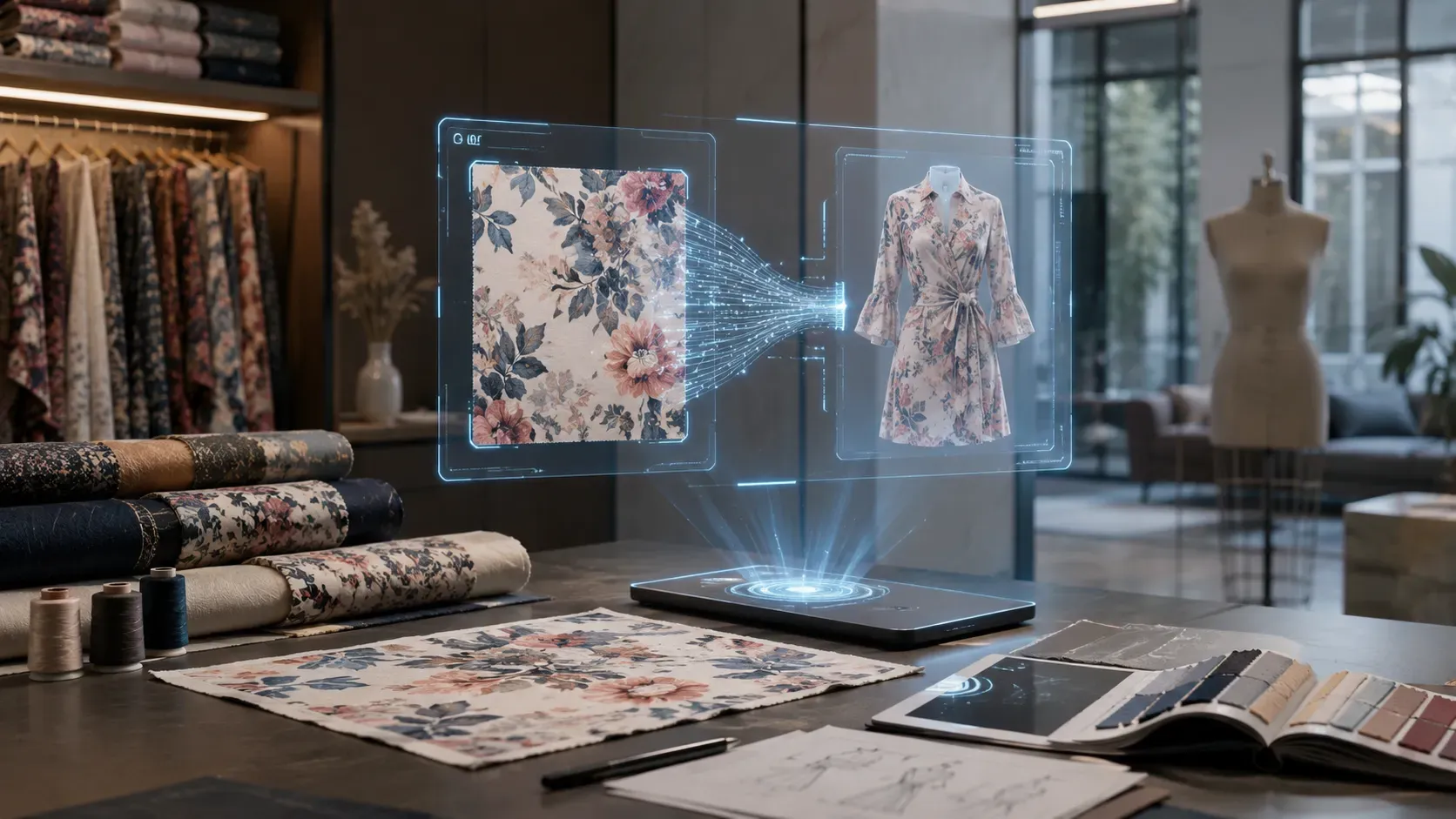
You can take a simple, clear picture of your flat fabric. Make sure the light is bright. Make sure there are no shadows on the cloth. Then, you use a special tool to turn that flat cloth into a picture of a real piece of clothing.
You can try this amazing feature by using the fabric to garment tool. The smart computer looks at your flat cloth and draws it as a beautiful dress, a neat shirt, or smart pants.
You can also learn more about how cloth becomes a product on the fabric to product page.
Step 2: Put the Clothes on a Model
A buyer wants to see how the clothes look on a real person. A flat picture of a shirt is okay, but a picture of a person wearing the shirt is much better. It makes the clothes look alive.
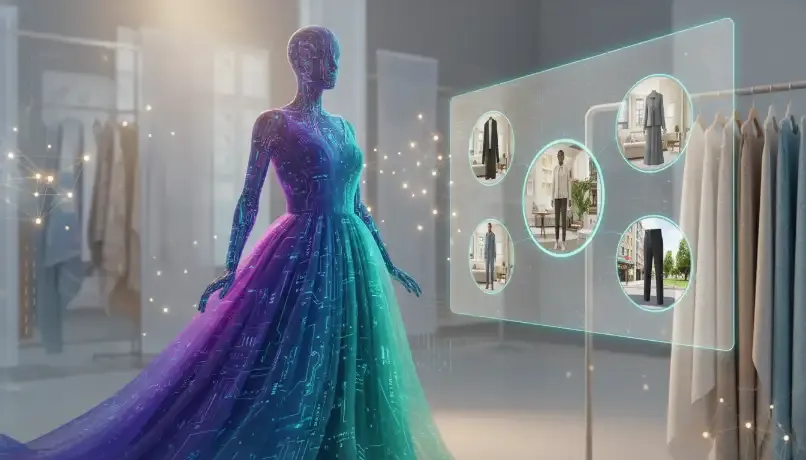
You do not need to hire a person to model your clothes. You do not need to rent a camera room. You can use AI to put your new clothing pictures on a virtual model. A virtual model is a computer-made person that looks completely real.
You can do this by using the virtual try on tool. You pick the clothes, you pick the model, and the computer dresses the model for you. It looks perfect every time.
Note: Make sure you create images from different angles. Show the front of the clothes and the back of the clothes. Buyers like to see all the details.
Step 3: Use the AI Catalog Maker
Now you have beautiful pictures of models wearing your clothes. It is time to put them into a book.
This is where you use the special catalog tool.
Here is how you use it:
- Open the tool: Start the catalog maker on your computer.
- Upload your pictures: Put the pictures you made in Step 2 into the program.
- Pick a design: The tool will show you many ready-made designs. You just pick the one you like best. You do not have to draw anything.
- Add your details: Click on the spaces next to the pictures. Type in the name of the clothing. Type in the colors you have. Type in the price.
- Let AI do the rest: The smart computer will make sure all the letters are the same size. It will make sure all the pictures line up perfectly.
Step 4: Organize Your Pages
A messy book is hard to read. You must put your pages in a good order.
Think about how a store is organized. They put all the winter coats together. They put all the summer dresses together. You should do the same in your digital catalog.
- Put your most exciting, new clothes on the very first pages.
- Group similar things together. Put all the shirts on a few pages, then put all the pants on the next pages.
- Make sure your contact information is easy to find. The buyer needs to know your email and phone number so they can buy from you!
Step 5: Save and Share
When you are finished, you do not need to print the book on paper. Printing on paper costs a lot of money. Plus, paper books are heavy and cost a lot to mail to other countries.
Instead, you save your book as a digital file on your computer. Now you have an online catalog.
You can send this online catalog through an email in just one second. The buyer in another country can open it on their computer or their phone immediately. They can look at your beautiful work while they drink their morning coffee.
Remember: Always save your work! The AI tool is smart, but it is always good to save your progress so you do not lose your beautiful design.
Making Your Catalog Design Stand Out
You know the steps to make the book. But how do you make it look extra special? How do you make the international buyer stop and say, "Wow, this is beautiful"?
Here are some very simple tips for a great catalog design.
Keep It Clean and Simple
Do not put too many pictures on one page. If you put ten pictures on one page, the pictures will be very small. The buyer will not be able to see the details of the fabric.
It is better to have one or two big, clear pictures on a page. Leave some empty white space around the pictures. White space rests the eyes. It makes your fashion catalog look very expensive and clean.
Use True Colors
When a buyer looks at a red shirt in your book, and they order it, they expect a red shirt to arrive at their door. If the shirt arrives and it looks orange, the buyer will be angry.
Make sure the pictures you put in your catalog maker show the true colors of your fabric. The AI tools at The Textile AI are very good at keeping your colors looking real.
Write Clear Descriptions
Keep your words simple. Do not write a long, confusing story about a pair of pants. Just tell the buyer what they need to know.
Tell them:
- What the fabric is made of (like 100% cotton).
- What sizes they can buy (like Small, Medium, Large).
- What colors are available.
- What the item number is (so they can order it easily).
Create Special Event Catalogs
Sometimes, buyers look for clothes for special holidays. For example, buyers look for red and pink clothes before Valentine's Day.
You can create a special, small book just for a holiday. You can learn about special events by checking the event page.
For instance, you could make a special book for the Valentine event. You can even show buyers how couples can match their clothes. You can see a great example by watching a video about Valentine matching outfits.
Showing buyers that you know about holidays makes you look very smart. It helps them sell more clothes to their customers, which means they will buy more from you.
Look at Good Examples
If you do not know how you want your book to look, you should look at what other people do. You can get wonderful ideas by looking at pictures that are already finished.
You can visit the gallery to see beautiful examples. Looking at these examples will help your brain think of good ideas for your own book.
The Big Benefits of Using a Digital Catalog
Let us talk about why a digital catalog is the best choice for you and your business. Why is it better than a paper book? Why is an AI catalog maker better than doing it the old way?
1. You Save a Lot of Money
Printing a paper wholesale catalog is very expensive. You have to pay for the ink. You have to pay for the shiny paper. You have to pay for the post office to mail it across the world.
With a free catalog maker (or a very low-cost AI tool), you save all that money. You pay a little bit for the smart computer tool, and the rest is free. You can send your online catalog to one person or one thousand people, and it costs exactly the same.
2. You Can Fix Mistakes Easily
Imagine you printed one thousand paper books. Then, you look at page five and realize you typed the wrong price. You wrote $10 instead of $100. This is a disaster! You have to throw all the paper away and start over.
With a digital book, fixing a mistake takes one minute. You just open your AI tool, type the correct price, save it again, and send the new file to your buyers. No paper is wasted. No money is lost.
3. You Can Update It Anytime
Fashion changes fast. In the summer, buyers want light clothes. In the winter, they want warm clothes.
When you use an online catalog, you can change your book every single month if you want to. You can easily add new clothes you just made. You can take away clothes that are sold out. Your buyers always see the newest, most correct information.
4. It is Better for the Earth
Less paper means fewer trees are cut down. When you create a catalog on a computer, you are helping to keep the planet green and clean. Many international buyers care a lot about the earth. They will be happy to know you use digital files instead of wasting paper.
Quote: "The secret of getting ahead is getting started." - Mark Twain
Common Questions About Making a Fashion Catalog
Sometimes, when people learn something new, they have questions. Here are some simple answers to common questions about using a catalog maker.
Q: Do I need to buy an expensive camera? A: No! Modern smartphones take very good pictures. Just make sure you take your pictures near a window during the daytime. Natural sunlight is the best light for showing the true colors of your fabric.
Q: What if I do not speak English very well? A: That is okay. A line sheet or a wholesale catalog does not need big, difficult words. Numbers, sizes, and color names are understood all over the world. The pictures do most of the talking.
Q: Will the AI make mistakes? A: AI is very smart, but it is a tool. Just like a pencil, it only does what you tell it to do. Always double-check your spelling and your numbers before you send your book to a buyer.
Learning More and Getting Help
Learning a new computer tool can feel a little scary at first. But remember, this AI tool is built to be as easy as playing a game on your phone.
If you want to read more stories about how other people are using AI to sell clothes, you can visit the blogs page. There are many helpful articles there.
If you ever get stuck or do not know which button to click, do not worry. You can find simple, easy-to-read instructions in the help section. Just read the docs. They will guide you step by step.
Glossary of Simple Terms
To make sure you understand everything perfectly, here is a simple list of the words we used today:
- AI (Artificial Intelligence): A smart computer that can learn and do tasks quickly for you.
- Catalog Maker: A computer tool that helps you put pictures and words into a neat book.
- Digital Catalog / Online Catalog: A book of products that lives on a computer or phone, not on paper.
- Fashion Catalog: A book specifically showing clothes, fabrics, and styles.
- Lookbook: A picture book that shows models wearing clothes in real-life settings to create a mood or story.
- Line Sheet: A very simple list of clothes with small pictures and prices, used for fast buying.
- Wholesale Catalog: A book meant for big stores that buy many clothes at once.
- Virtual Try On: Using a computer to put a picture of clothes onto a computer-made model.
Summary: Your Path to Success
Let us remember what we learned today.
Selling clothes to buyers in other countries means you must have a great way to show them your work. A simple text message is not enough. You need a beautiful picture book.
In the past, making this book meant using InDesign. It was very hard, very slow, and cost a lot of money.
Today, you can use a smart AI catalog maker. It acts like an automatic car. It does the hard, boring work for you. You can turn flat fabrics into beautiful dresses. You can put those dresses on virtual models. You can arrange them perfectly on a page with just a few clicks.
You learned that a digital catalog saves you money, saves you time, and helps the earth. You learned that you can make different kinds of books, like a lookbook for dreaming, or a line sheet for fast buying. You also learned that you can make special books for holidays like Valentine's Day.
Most importantly, you learned that you have the power to look like a top professional, no matter where you live or how small your business is right now.
Are you ready to show your beautiful fabrics and clothes to the whole world? Are you ready to let the smart computer do the hard work for you?
Do not wait. Start building your amazing buyer book today. Go to the login page to start your exciting journey with AI!